On this page
- Can a tattoo shop POS track aftercare, jewelry and merch stock?
- How should a tattoo shop POS handle artist commission splits?
- Is a tattoo artist an employee or an independent contractor?
- How should a tattoo shop record tips?
- Can a POS keep a tattoo deposit on the customer’s balance?
- Can a tattoo shop use MazalPOS for online booking?
- Can a tattoo shop POS track staff hours and schedules?
- What should the end of day look like at a tattoo shop?
- Can a tattoo shop sell aftercare and merch online from the same stock?
- What does a tattoo shop POS system cost?
- What should a tattoo shop test in a free trial?
- Common questions
Key takeaways
- Count every aftercare item, jewelry size and shirt size separately, and share that count with your website.
- Test artist splits on a real ticket with tax, retail and a refund. A standard MazalPOS salary group uses one ladder for all sales credited to a person.
- A deposit should sit on the customer’s balance. MazalPOS includes online booking with deposits, so you can keep your booking tool or move the calendar too.
- The IRS weighs the whole relationship to decide whether an artist is an employee or a contractor. Ask your accountant.
- MazalPOS is $99 or $169 a month per location. Commission and payroll are on Growth, and the trial is 14 days with no card.
The best POS system for a tattoo shop is the one that passes five tests on your own shop: a stock count for every aftercare item, piece of jewelry and shirt, each artist’s split worked out from the sales, a deposit that stays on the customer’s balance until the balance is paid, staff hours in one place, and an end of day you can check against the drawer. MazalPOS includes online booking with deposits, so you can keep your booking tool or move the calendar too. MazalPOS is one option, and the checklist works for any system.
Can a tattoo shop POS track aftercare, jewelry and merch stock?
A tattoo shop POS can track aftercare, jewelry and merch stock if every item you sell has its own count, including each size, color or style. A black shirt in medium and the same shirt in large are two counts, and two jewelry sizes are two counts too. One number for “shirts” or “studs” will not tell you what to reorder.
Test it with a small case: add one piece of jewelry in two sizes and one shirt in two sizes, sell one of each, and check that only those counts drop. Then ask how a manager counts the case and records damaged stock.
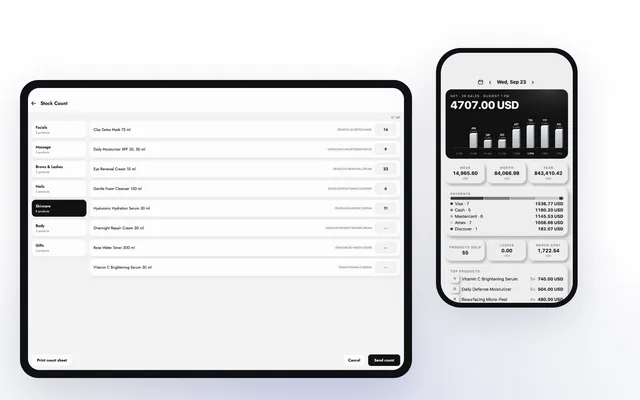
In MazalPOS, sizes and colors are tracked on one inventory, low-stock alerts show what is running out, and managers can count stock and log damage from their phone. Product reports show best sellers, slow movers and margins, which is how you spot the merch that sits. See inventory and our guide to counting stock in a store.
How should a tattoo shop POS handle artist commission splits?
A tattoo shop POS should handle artist commission splits by giving each artist their own rate, crediting every sale to the right person and taking commission back when a sale is refunded. Write your split down first, then make the vendor show it working on a real ticket, with tax, a retail add-on and a refund.
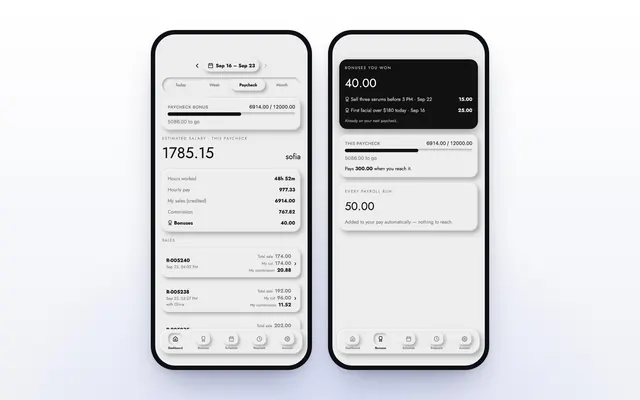
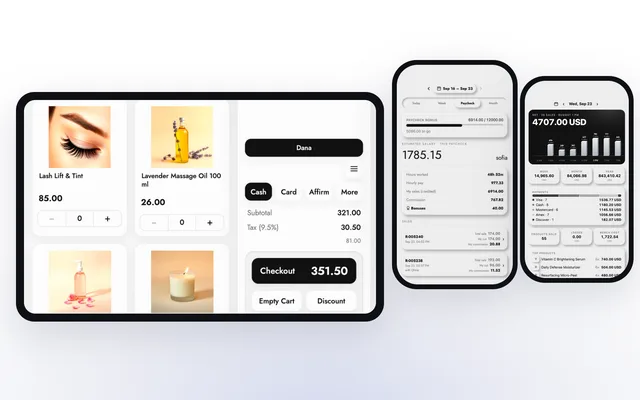
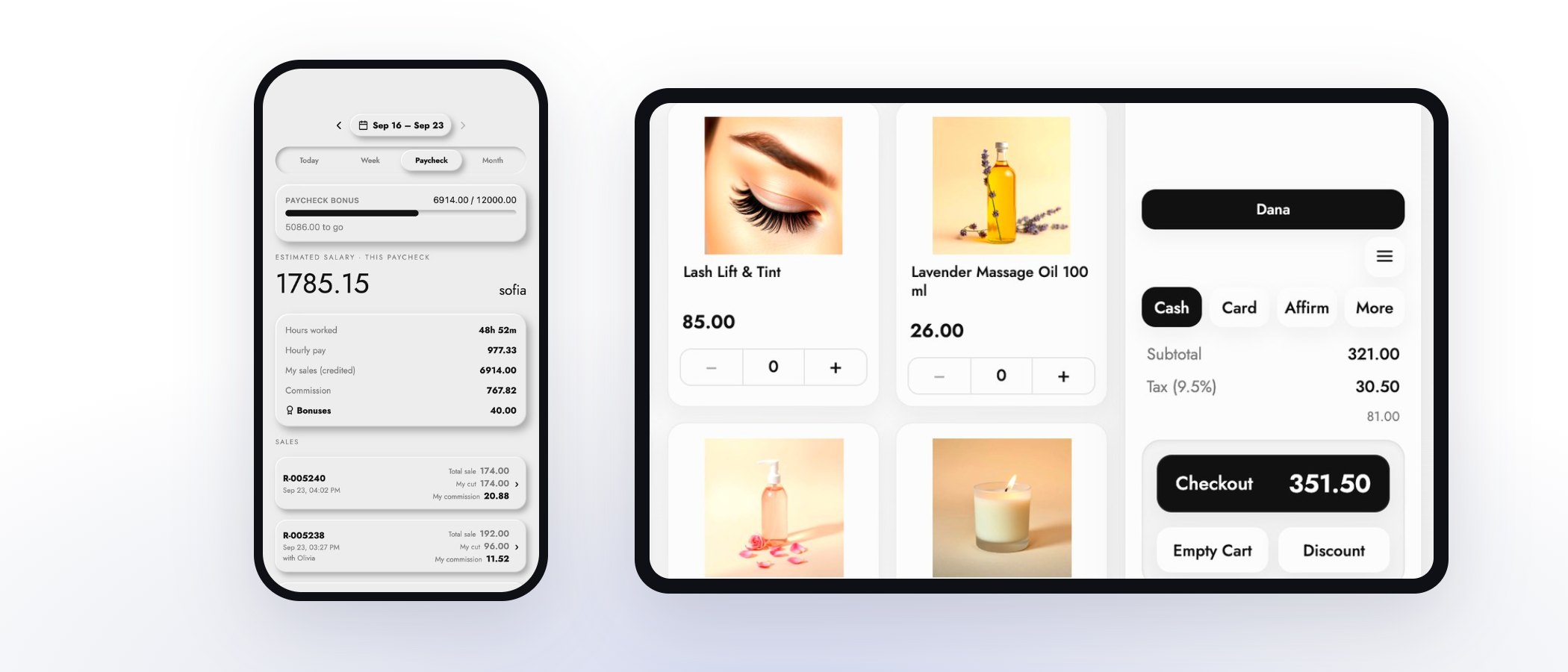
In MazalPOS you set goals and rates in salary groups, and commission is worked out on every sale. A group with a single step pays one flat rate. When a goal is reached, the reached rate applies to the whole day. Two or more people on one receipt can split it by percent, always adding up to 100%. If a sale is refunded, the commission comes back off the seller in proportion. Each artist sees their sales, hours and commission in the MazalTeam app, and payroll adds up for each pay period, the 1st to the 15th and the 16th to the end of the month. Commission and payroll are on the Growth plan.
One thing to check before you buy: a standard salary group rates the sales credited to a person with the same ladder, whether the line is tattoo work or a jar of balm. If an artist earns one percentage on tattoos and a different one on retail, say so in your demo and ask to see it on your own ticket. Ask what the rate is calculated on as well. In MazalPOS it is the credited sale before tax. See staff and payroll and our guide to commission plans.
Is a tattoo artist an employee or an independent contractor?
Whether a tattoo artist is an employee or an independent contractor depends on the whole working relationship, not on what your POS or your agreement calls them. The IRS says to weigh all the facts about control and independence, in three groups: behavioral control, financial control and the type of relationship. It says no single factor decides it.
The difference matters for money. The IRS says you generally must withhold and deposit income, Social Security and Medicare taxes on an employee’s wages, pay the employer share and pay unemployment tax. You generally do not do that for payments to an independent contractor. A POS report can show what each artist sold, but it does not settle their status. Ask your accountant, and check your state’s rules. This is a summary, not tax or legal advice.
It also changes what you ask a vendor. MazalPOS payroll is built around your staff’s hours and commission. If your artists rent a booth or work as contractors, ask how their sales and payouts would be recorded before you sign.
How should a tattoo shop record tips?
A tattoo shop should record tips separately from sales, with the name of the person who gets each one. The IRS says cash and non-cash tips are income, that employees should keep a daily tip record, and that they report cash tips to the employer unless the total is under $20 in a month from that employer. Cash tips there include tips paid by card.
Watch the wording on automatic charges. The IRS says automatic gratuities are service charges, not tips, and that a tip must be free from compulsion, with the customer deciding the amount.
In MazalPOS a tip is kept outside the sale total, tax and sales figures. It has to go to a staff member, it can be shared on a split sale, and it is added to that person’s pay on payroll. A tip cannot be added to a deposit payment. For more on late tips, read can you add a tip after the sale is closed.
Can a POS keep a tattoo deposit on the customer’s balance?
A POS can keep a tattoo deposit on the customer’s balance if it records the full sale, takes part of the money now and shows what is still owed. That beats a note in a drawer, because anyone at the counter can see what was paid.
In MazalPOS you ring the sale at the agreed total and choose Deposit. The form asks for the customer’s name and email, the amount paid now, a due date and a signature. You can take a payment on the balance later, and commission is paid only on money as it comes in. End of day counts only the money taken that day. Test it: take a deposit, find it on the customer’s profile a week later and take the rest.
Write your own policy for cancellations and refunds, print it where the customer can read it, and check your state’s rules. The payments page lists what you can take at the counter, including cards, cash and pay links. Pay links carry a 3% fee.
Can a tattoo shop use MazalPOS for online booking?
Yes, a tattoo shop can use MazalPOS for online booking: MazalPOS includes online booking with deposits, so you can keep your booking tool or move the calendar too. The register page describes it as one calendar for the register and back office, where customers move or cancel by link. Test it in the free trial with your own session lengths before you decide whether to move your calendar. See the register.
Can a tattoo shop POS track staff hours and schedules?
A tattoo shop POS can track staff hours and schedules if clocking in, shifts and pay live in the same system as the sales. Otherwise somebody retypes hours into a spreadsheet before every payday.
In MazalPOS, staff clock in and out from the register or the MazalTeam app on their phone, see their schedule and ask for days off, and a manager approves requests from their own phone. Full staff scheduling and the MazalTeam app are on every plan. Payroll and commissions are on Growth. See scheduling.
What should the end of day look like at a tattoo shop?
The end of day at a tattoo shop should show what each payment type took, who sold what, and whether the cash in the drawer matches. Run it every night, including a quiet one, so a gap is a day old and not a month old.
In MazalPOS you close the day from the register. You can type the counted cash and compare it with the expected cash, and the count is optional. Live reports show sales by day, location, channel and payment type, and the staff report shows who sold what, hours worked and commission earned. The register is offline-first, so cash sales keep going if the internet drops and sync later, but card sales on the card machine need a connection.
Keep the paper trail too. The IRS says to keep supporting documents for sales, purchases and payroll, such as sales slips, receipts, invoices and deposit slips.
Can a tattoo shop sell aftercare and merch online from the same stock?
A tattoo shop can sell aftercare and merch online from the same stock if the website and the register read one count. If they keep two, the last shirt in a size can sell twice.
MazalPOS has a branded online store on the same catalog and inventory as the register, with shipping or in-store pickup, and web orders show next to counter sales. The online store is on the Growth plan. Check the rules for anything you ship, including what your suppliers and your state allow. See how the online store works and selling online and in store from one inventory.
What does a tattoo shop POS system cost?
A tattoo shop POS system from MazalPOS costs $99 a month on Essentials or $169 a month on Growth, per location, with no charge for each employee. For any system, ask for card rates, hardware, add-ons and contract length in writing, because the monthly price is rarely the whole bill.
Essentials has the register, inventory, customers, reports, full staff scheduling, the MazalTeam app, and card and cash payments. Growth adds the online store on the same inventory, payroll and commissions, more than one location and priority support, so a shop that wants artist splits worked out needs Growth. Both are month to month with 14 days free and no card. MazalPOS moves your customers, products, staff and sales history from your old system for free, and setup takes one day. See pricing and what a POS system costs.
What should a tattoo shop test in a free trial?
A tattoo shop should test a normal day in the free trial, with its own products and staff, not the vendor’s demo data. The list below takes one slow afternoon.
- Sell one jewelry size and one shirt size, and check that only those counts drop.
- Ring a ticket for two artists, split it, add retail, and read each person’s commission.
- Refund one line and check the stock and the commission.
- Take a deposit, then take the balance on a later day.
- Clock one person in and out, then close the day and count the drawer.
- Write down every fee in the vendor’s own words, and ask what happens to your data if you leave.
The register runs on an iPad or any computer, and it does not ring sales on a phone. The phone app is for staff. You can also compare MazalPOS for retail stores, then start a free trial or book a demo.
Common questions
The one that passes your own tests: a count for every aftercare item and jewelry size, artist splits worked out on real tickets, deposits kept on the customer’s balance, staff hours and a nightly close. Run those tests in a free trial.
Yes. MazalPOS includes online booking with deposits, so you can keep your booking tool or move the calendar too.
Yes. Ring the sale at the agreed total, take the deposit with the customer’s name, email, due date and signature, and take payment on the balance later.
Yes. Two or more people on one receipt can split it by percent, and the split always adds up to 100%. Commission and payroll are on the Growth plan.
MazalPOS is $99 a month on Essentials or $169 a month on Growth, per location, with no charge for each employee. Every plan starts with 14 days free and no card.
Sources
- IRS: Independent contractor (self-employed) or employee?, read November 25, 2026: the tax difference, and the behavioral, financial and relationship facts that decide it.
- IRS: Tip recordkeeping and reporting, read November 25, 2026: tips are income, the daily tip record, and when cash tips are reported to the employer.
- IRS: Tips versus service charges, how to report, read November 25, 2026: what makes a payment a tip and why automatic gratuities are service charges.
- IRS: What kind of records should I keep, read November 25, 2026: the sales, purchase and expense documents a business should keep.

Written by Mike Akop, founder of MazalPOS. We build and support the register, online store and staff app that stores from Las Vegas to Honolulu run on. Questions about this guide? Talk to a real person.