On this page
Key takeaways
- Compare the full monthly cost per location, not the headline price.
- Check what is included and what is an add-on: online store, payroll, financing, extra locations.
- Ask whether moving your data and setup cost extra.
- Prefer month to month over a multi-year contract.
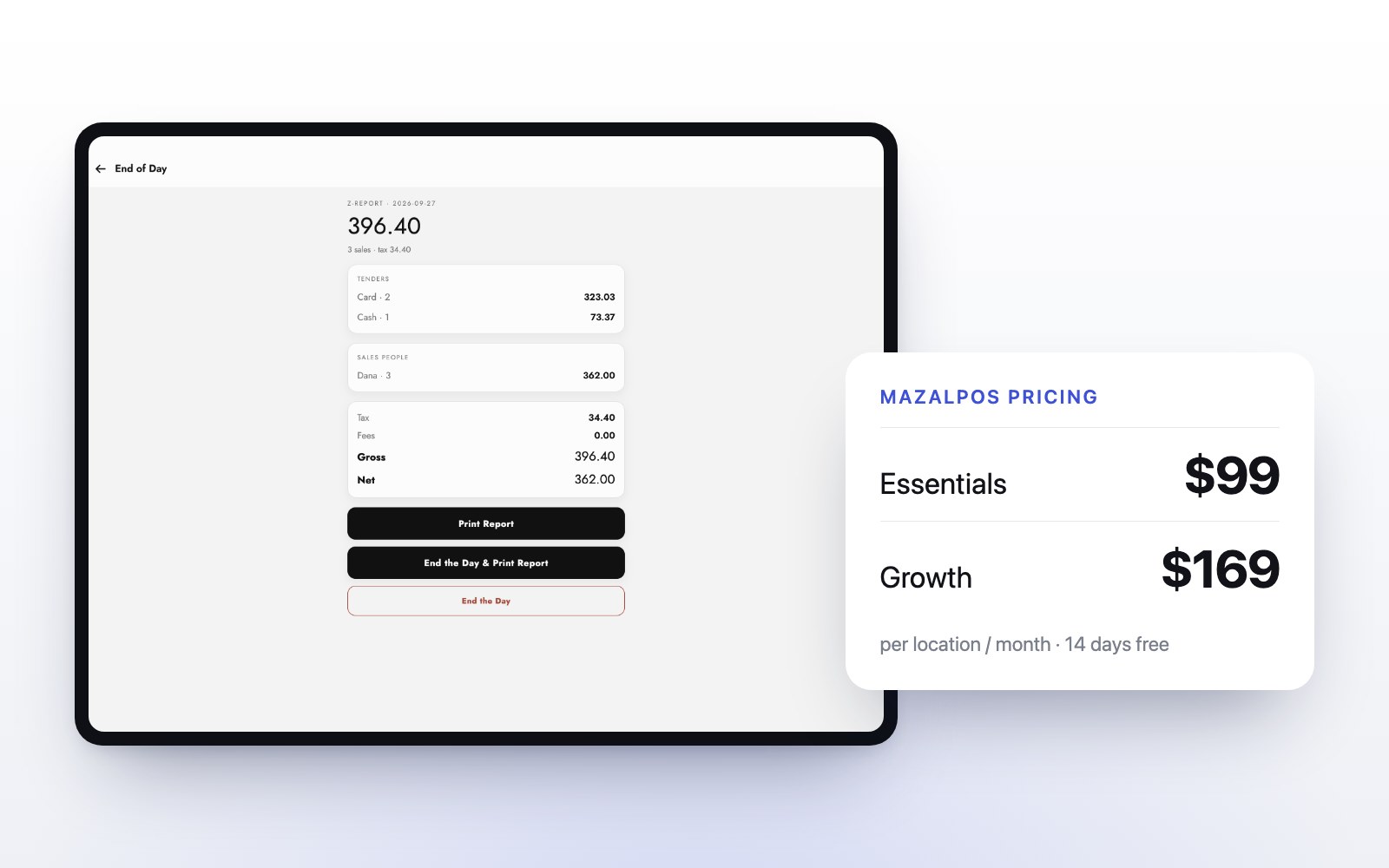
- MazalPOS is $99 or $169 per location per month, with the data move free and 14 days free.
“How much does a POS system cost?” has an annoying honest answer: it depends on what is included. Two systems with the same monthly price can be hundreds of dollars apart once add-ons, extra devices and setup are counted. The way to compare is line by line.
What do you actually pay for in a POS system?
Most of the cost of a point of sale system falls into six lines:
- The software plan, usually monthly, priced per location, per device or per user.
- Add-ons: an online store, payroll, commissions, extra locations, financing or advanced reports.
- Hardware: the tablet or computer, a receipt printer, a cash drawer and a card reader.
- Payment processing: a fee on each card sale, set by the payment provider.
- Setup and data moving: sometimes free, sometimes a paid project.
- The contract: month to month, or locked in for years with a cancellation fee.
Per location, per device or per user?
How a plan is priced changes the total more than the headline number. Per-device pricing grows every time you add an iPad. Per-user pricing grows with every hire. Per-location pricing stays the same however many registers and employees one store has. MazalPOS is priced per location: one price covers the whole store.
Which features are add-ons?
This is where quotes hide the difference. Ask for a written list of what is included in the plan you are quoted, and what costs extra. For a spa or beauty store, check these five: an online store on the same inventory, payroll and commissions, more than one location, financing and profit and loss reports.
Do you need new hardware?
Often not. A register that runs on an iPad or in a web browser on any computer can use devices you already own. Ask before buying a bundle. The MazalPOS register runs on both.
Costs that show up later
- A fee to move your customers, products and sales history.
- Paid onboarding or training.
- A cancellation fee in a multi-year contract.
- Support that is only included on the top plan.
With MazalPOS the data move is free on every plan, every plan is month to month, and support is real people, 6 days a week.
What MazalPOS costs
- Essentials: $99 per location per month ($82 billed yearly). Register on iPad and computer, inventory, customers, reports, staff phone app, payments and the free data move.
- Growth: $169 per location per month ($141 billed yearly). Adds the online store on the same inventory, payroll and commissions, multi-location with one login, Affirm and Purchasing Power financing and priority support.
- Custom: priced for your business, with features built on request.
Every plan starts with 14 days free and no card. Compare every feature side by side.
How to compare two quotes
- Write the monthly cost per location for each, with every add-on you need included.
- Add any one-time setup, hardware and moving fees.
- Note the contract length and the cancellation fee.
- Compare the year-one total, not the headline price.
Common questions
It depends on the pricing model and what is included. MazalPOS costs $99 per location per month on Essentials and $169 on Growth, or $82 and $141 billed yearly.
Some systems are free to start and charge through add-ons or processing. MazalPOS is not free, but every plan starts with 14 days free and no card, and the data move is free.
It varies by provider. MazalPOS is priced per location, so one price covers every register and employee in that store.

Written by the MazalPOS team. We build and support the register, online store and staff app that stores from Las Vegas to Honolulu run on. Questions about this guide? Talk to a real person.