On this page
Key takeaways
- Commissions should be calculated on every sale, not rebuilt in a spreadsheet.
- With daily goals, reaching a goal sets the rate for the whole day.
- Two pay periods a month: the 1st to the 15th and the 16th to month end.
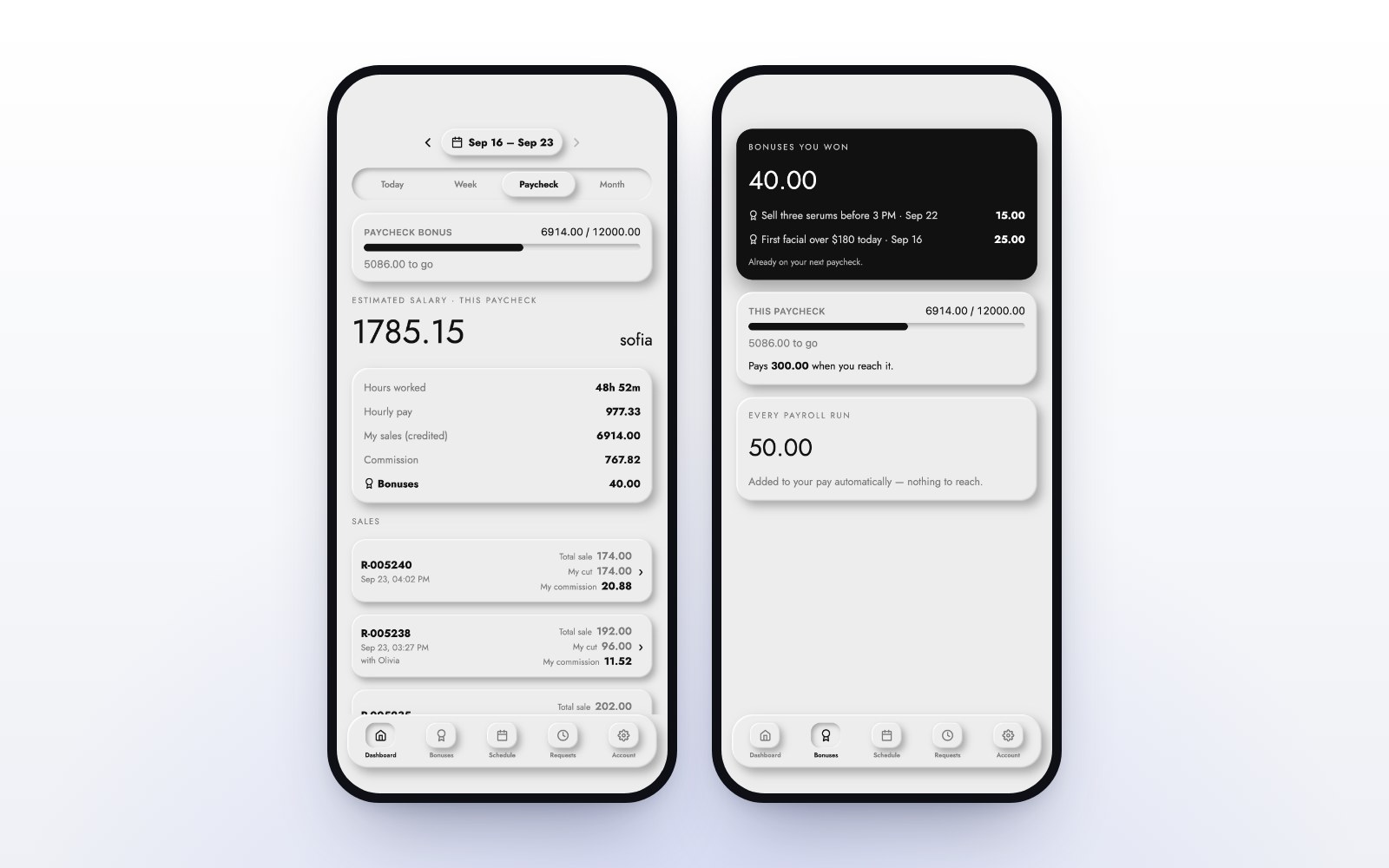
- Every employee should see their own hours, sales and commission on their phone.
Commission is the number your team cares about most and trusts least. When it is worked out by hand at the end of a pay period, every mistake becomes a conversation. The fix is not a better spreadsheet. It is a register that calculates commission on every sale and shows each person their own number.
How do spa and salon commissions usually work?
Most businesses use one of two structures. A flat rate pays the same percentage on everything an employee sells. A goal-based structure pays a higher rate once an employee reaches a sales goal. Goals reward the busy days and give the team something to aim for during the shift.
How goal rates apply to the whole day
The simplest goal rule to explain, and the one your team will trust, is this: when an employee reaches a goal, the rate they reached applies to their whole day.
For example, say the rate is 10% below a $1,000 day and 12% at $1,000 or more. An employee who sells $1,200 earns 12% of $1,200, which is $144. There is no splitting the day into slices, and nobody needs a calculator to check it. This is how commissions work in MazalPOS staff and payroll: any goal, any percentage, always the whole day at the rate reached.
Pay periods that add themselves up
Most spas and salons pay twice a month. In MazalPOS the pay periods run from the 1st to the 15th and from the 16th to the end of the month. Hours from clock-ins and commission from every sale are totaled for each period, so payroll is ready when the period closes.
Let your team see their own numbers
The fastest way to end commission disputes is to show everyone their own number while they work. The MazalPOS staff phone app shows each employee their hours, their sales and their commission for the day and the pay period. They clock in and out from the app or the register.
What the owner sees
Owners need the other side: who sold what, how many hours each person worked, and what commission was earned. Staff reports sit next to profit and loss, sales and product reports, and you can open all of them from your phone.
Common commission mistakes
- Rates that live in a manager’s head instead of the system.
- Goals with tiers so complicated nobody can check their own pay.
- Hours on paper timesheets that do not match the clock.
- Sales credited to whoever was logged into the register, not who made the sale.
Setting it up
- Write down your rates and goals in one sentence each.
- Enter them once, per employee or per role.
- Have staff clock in from the app or the register.
- Let the system total each pay period.
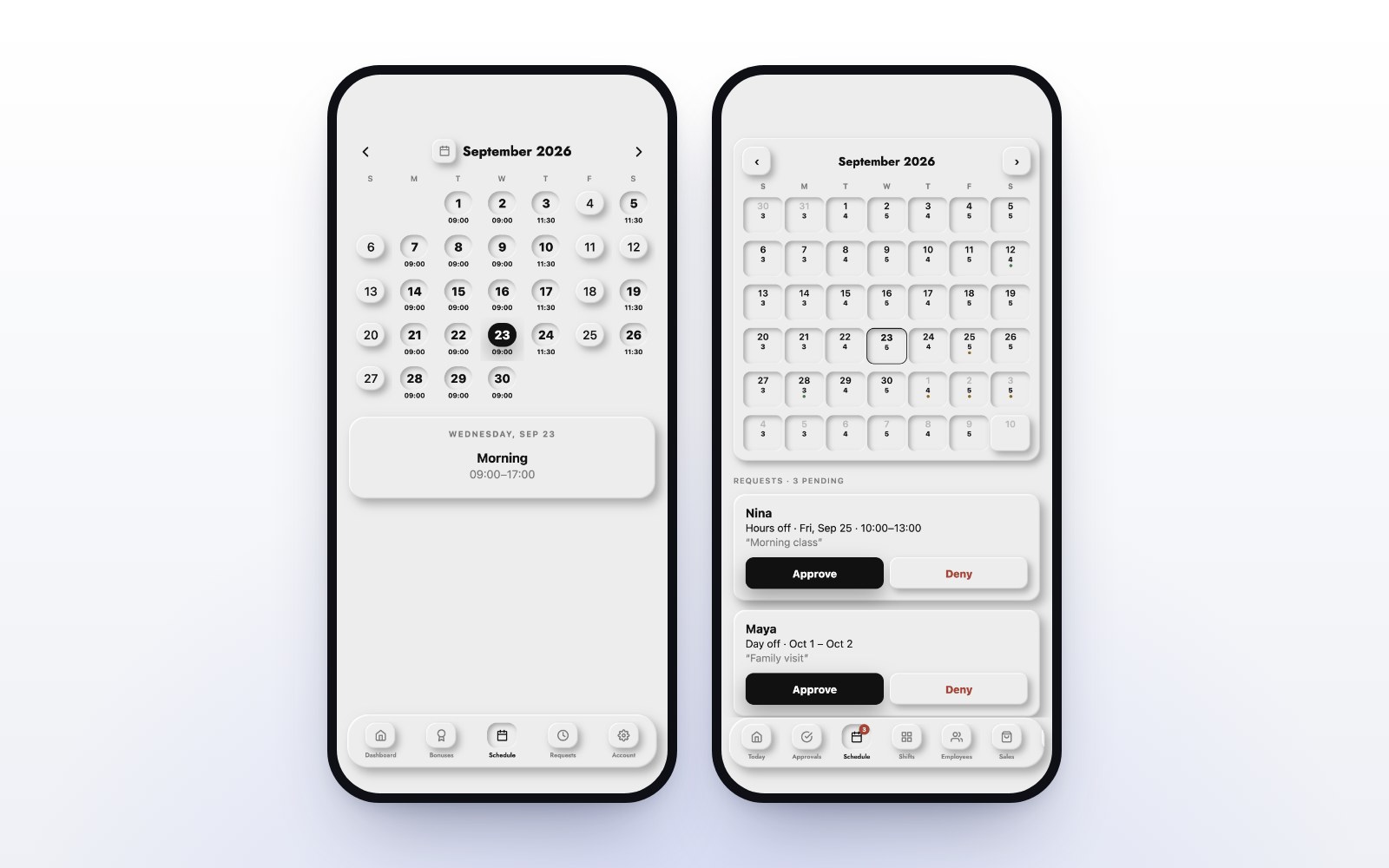
Payroll and commissions are part of the MazalPOS Growth plan. See pricing, and read how the same app handles schedules and time-off requests. Built for salons and day spas, med spas and barbershops.
Common questions
Using the goals and rates you set, on every sale. When an employee reaches a goal, the rate reached applies to their whole day.
Two per month: the 1st to the 15th, and the 16th to the end of the month.
Yes. The MazalPOS staff phone app shows each employee their hours, sales and commission.
Payroll and commissions are included in the Growth plan.

Written by the MazalPOS team. We build and support the register, online store and staff app that stores from Las Vegas to Honolulu run on. Questions about this guide? Talk to a real person.