On this page
- Can you add a tip after the sale is closed?
- How does MazalPOS handle a tip after the sale is closed?
- Can you add a tip after the card has been charged?
- How long do you have to add a tip?
- Does adding a tip later cost a second fee?
- What if the customer leaves a cash tip later?
- Can you add a tip to a pay link or a deposit?
- How do staff get the tip in MazalPOS?
- What can you do in MazalPOS if a client wants to tip after paying?
- Common questions
Key takeaways
- A tip can be added after payment only while the payment is still open at the processor: before settle (Square), closeout (Clover) or capture (Stripe).
- Toast is the long one: same day on the POS, and up to 45 days in Toast Web, with a $250 cap per adjustment.
- Square gives 36 hours for tips entered from a printed receipt, and its API cannot change a completed payment.
- MazalPOS cannot add or edit a tip on a sale after it is rung. The tip is chosen at checkout (none, 15%, 20%, 25% or a typed amount).
- If a client wants to tip after paying, the route left in MazalPOS is a refund and a new sale with the tip, which charges the card a second time.
You can add a tip after a card sale in some systems, but only while the payment is still open, and MazalPOS cannot add a tip once a sale is rung up. The windows differ: Toast reaches back up to 45 days for an increase, Square gives 36 hours on tips collected on a printed receipt, Clover allows a tip adjustment before closeout, and Stripe allows it at capture. MazalPOS takes the tip on the register before the payment.
Can you add a tip after the sale is closed?
It depends on the system: Toast, Square, Clover and Stripe each let you add a tip for a limited time, and MazalPOS does not let you add a tip to a closed sale. The rule behind all of them is the same. A tip can change only while the card payment is still open at the processor, and each vendor names that moment differently: settle at Square, closeout at Clover, capture at Stripe and the overnight batch at Toast for same day changes.
After that moment the tip is part of a finished payment. Square’s Payments API says a completed payment cannot be updated, and Toast sends a late tip through a separate adjustment rather than reopening the payment.
How does MazalPOS handle a tip after the sale is closed?
MazalPOS cannot add or change a tip once the sale is rung up. The tip is chosen on the register before the payment, and it is stored on the sale at that moment. We checked the code: the sale request carries the tip, a manager’s edit of a sale keeps whatever tip the sale already had, and there is no tip field on that edit.
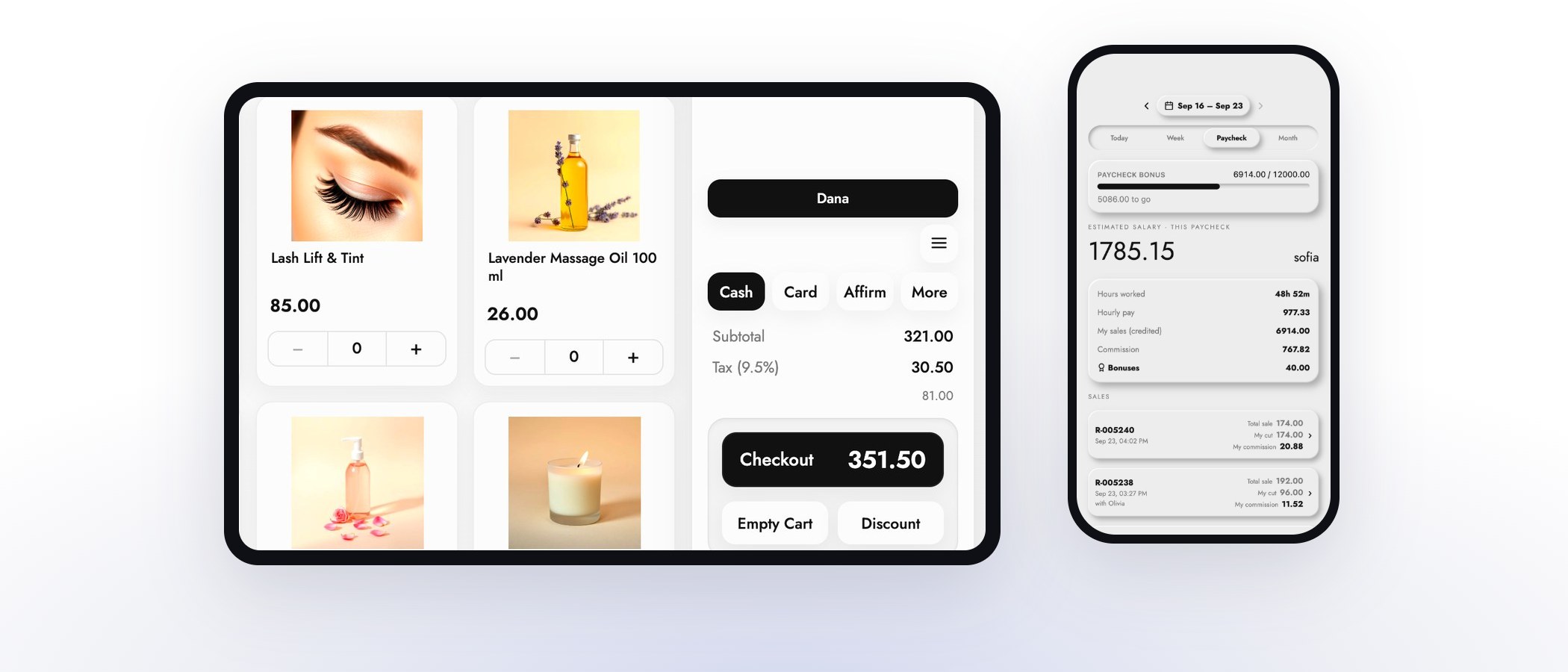
At checkout the client or the cashier picks no tip, 15%, 20%, 25% or a typed amount. The percentages are taken from the sale’s subtotal after any discount or coupon and before tax. The tip is not part of the total, the tax or the sales figures, but the payment collects it, so a card payment is the total plus the tip in one charge. It prints on the receipt as its own Tip line under the total, and a reprint shows the same line.
The register’s Tip button is part of the med spa tools, which are switched on per business, so ask before you count on it for your store. Tips are chosen on the register screen, not on the card reader.
Can you add a tip after the card has been charged?
Yes in some systems, as long as the charge has not been captured or settled yet. What each vendor says:
- Stripe: in the US, with manual capture, you can capture more than the authorized amount to collect a tip. This is called on-receipt tipping. It is limited to certain business types, and beauty and barber shops and health and beauty spas are on the list. Visa, Mastercard, Discover and American Express are supported.
- Square: a signed payment waits for its tip and settles on its own after 36 hours with a $0 tip. With the Payments API, only an authorized payment can be updated, and a completed payment cannot.
- Clover: its documentation lets you request a tip adjustment after capture but before closeout.
- Toast: on the same business day you reopen the closed check on the POS and enter the tip again, before the overnight card batch runs. For an older check you run a Tip Adjustment in Toast Web.
Stripe also supports the other order: on-reader tipping, where the reader suggests tips before the payment. That is how MazalPOS works too, on the register screen instead of the reader.
How long do you have to add a tip?
The time limit is the vendor’s window, not a card rule we could verify: 36 hours at Square for tips on printed receipts, until closeout at Clover, until capture at Stripe, and up to 45 days at Toast.
- Square: signed open checks settle automatically after 36 hours with a $0 tip, and tips collected on printed receipts must be entered in that same 36 hour window.
- Clover: after capture and before closeout, per its documentation.
- Stripe: the overcapture limit is 50% of the authorized amount or $50, whichever is greater. A $40 authorization can be captured up to $90.
- Toast: the same business day on the POS, then up to 45 days in Toast Web for an increase. The most Toast allows in one adjustment is $250, and larger amounts go to Toast Customer Care. A check older than 45 days also goes to Customer Care.
We did not find a card network rule on tip adjustment that we could open and verify today, so we leave that out. Ask your processor for its cutoff time, because the batch closing time is theirs.
Does adding a tip later cost a second fee?
Possibly, and none of the pages we read gives a price for it, so ask your processor. What the pages do say is how the money moves. Stripe says an overcapture does not result in an additional authorization, so the client sees one updated amount. Toast says a tip added in Toast Web is charged to the guest as a separate transaction and deposits to your account in five to seven business days.
If you are comparing systems, ask each one this exact question: is a late tip one transaction or two, and what do you charge for each?
What if the customer leaves a cash tip later?
A cash tip handed straight to the stylist or barber is not a sale in any POS, and MazalPOS does not record it. MazalPOS records only the tip rung up at checkout. Cash tips are still income: the IRS says employees who receive $20 or more in cash tips in a calendar month must report the total to the employer in writing by the tenth day of the next month, and smaller amounts are still reported on their own tax return.
Our guides cover that side: salon and spa tips and barbershop tips explain the federal rules and a clean tip process, and the tip-out entry covers sharing a tip with an assistant or the front desk.
Can you add a tip to a pay link or a deposit?
In MazalPOS, no: a deposit refuses a tip, and the pay link code has no tip field. The register rejects a tip on a deposit with the message that a tip can’t be added to a deposit. A pay link sends the client a payment request for the amount you set, so a tip means setting a larger amount before you send it.
Other systems differ and we did not find a published page on tips for pay links at Square, Clover, Toast or Stripe, so we make no claim about them.
How do staff get the tip in MazalPOS?
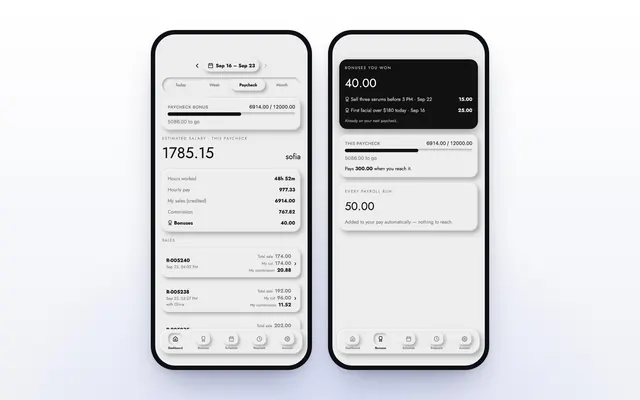
Staff get 100% of the tip, added on top of their pay and never counted for commission. On the register the tip goes to the salesperson on the sale. If the sale is shared between up to four people, the tip is shared the same way, and the shares must add up to 100%. A tip has to have a staff member to receive it, and it cannot be larger than the sale itself. If your team shares tips by hours instead, the free Commission and Tip Pool Calculator for Salons splits a pool for you.
Payroll adds the tips up per pay period, 1st to 15th and 16th to the end of the month, as their own figure in the staff and payroll totals. Tips are customer money passed through, so they are left out of the labor cost total.
The owner also chooses what a refund does with the tip. “Return it to the client” is the default: the refund hands back the same share of the tip as of the subtotal, and payroll takes that share back from staff. “Staff keep it” never refunds the tip.
What can you do in MazalPOS if a client wants to tip after paying?
The route the code supports is a refund and a new sale with the tip, and it charges the card a second time, so use it only when the client is still there. Refund the sale, ring it again, pick the tip, and take the payment as the total plus the tip. The refund follows the owner’s tip setting above.
If the client is gone, the sale stays as it was. MazalPOS has no way to add a tip to it later, and we would rather say so than hide it. If a late tip matters to your business, ask the client for the tip at checkout, which is the point of the 15%, 20% and 25% buttons.
Common questions
Sometimes. Stripe, Square, Clover and Toast allow it until capture, settle, closeout or the overnight batch, and Toast allows an increase in Toast Web for up to 45 days. MazalPOS cannot add a tip after the sale is rung up.
No. The tip is chosen on the register before payment and stored on the sale, and a manager’s edit of a sale keeps the tip it had. The route left is a refund and a new sale with the tip.
Square settles signed open checks automatically after 36 hours with a $0 tip, and tips collected on printed receipts must be entered within that 36 hour window.
Toast allows same day changes on the POS and increases up to 45 days old in Toast Web, with a $250 maximum per adjustment. Larger amounts and older checks go to Toast Customer Care.
Yes. Tips are paid to staff in full on top of their pay and never count toward commission. The owner chooses whether a refund returns the tip to the client or staff keep it.
Sources
- Square Help: Settle payments and manage tips, read November 23, 2026: 36 hour settle window, tips on printed receipts.
- Square Developer: Update payments, read November 23, 2026: UpdatePayment, authorized payments only, completed payments cannot be updated.
- Clover Developer: Capture and tip adjust, read November 23, 2026: tip adjustment after capture and before closeout.
- Toast Central: Adjust Tips on a Closed Check, read November 23, 2026: same day POS path, 45 day Toast Web path, $250 maximum, separate transaction.
- IRS: Topic no. 761, Tips - withholding and reporting, read November 23, 2026: cash tip reporting.
- Stripe Docs: Collect tips (Terminal), read November 23, 2026: on-receipt and on-reader tipping.
- Stripe Docs: Collect on-receipt tips, read November 23, 2026: overcapture, 50% or $50 limit, eligible business types.

Written by Mike Akop, founder of MazalPOS. We build and support the register, online store and staff app that stores from Las Vegas to Honolulu run on. Questions about this guide? Talk to a real person.