On this page
- How do I plan the holiday season before I hire?
- Should each seasonal hire have their own login?
- How do I put the holiday schedule on staff phones?
- How do holiday time-off requests work?
- How do seasonal hours flow into payroll?
- When does overtime start for seasonal staff?
- What are the rules for workers under 16?
- Can I pay commission during the holiday rush?
- What do I do when the season ends?
- What does it cost to add seasonal staff?
- Holiday staff checklist
Key takeaways
- Give every seasonal hire their own login on day one, never a shared one.
- Put the holiday schedule in the staff app, not in a group chat.
- Federal law requires time and one-half for hours over 40 in a workweek for covered employees.
- Workers aged 14 and 15 can work at most 3 hours on a school day and 18 hours in a school week.
- Mark seasonal staff inactive the day they leave; their sales history stays on record.
To run holiday staff well, give each seasonal hire their own login, put their shifts on their phone, let them clock in from the app or the register so hours flow straight into payroll, and keep an eye on the federal overtime and teen work rules. The holidays bring the busiest weeks of the year for most stores, and the extra part-timers you bring in for November and December should make the season easier, not add a stack of paper timesheets to sort out in January.
How do I plan the holiday season before I hire?
Start with last year's numbers. Your sales reports show which days were busiest, so you know how many extra people you need and when. In MazalPOS, the sales and staff reports are live on your phone. Write down the shifts you need to fill, then hire for those shifts instead of hiring first and figuring out the schedule later.
Should each seasonal hire have their own login?
A shared register password is the fastest way to lose track of who sold, discounted or refunded what. In MazalPOS, every employee signs in with their own login, so each sale has a name on it and commission goes to the person who made the sale. Prices below your minimum and refunds need a manager's approval, so a new hire on their second day cannot give away your margin by mistake. Read more about staff permissions.
How do I put the holiday schedule on staff phones?
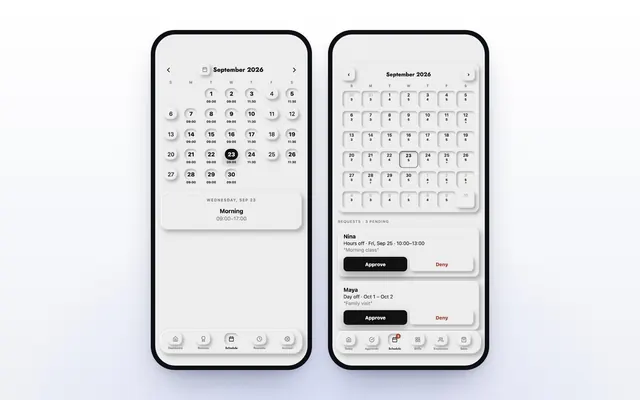
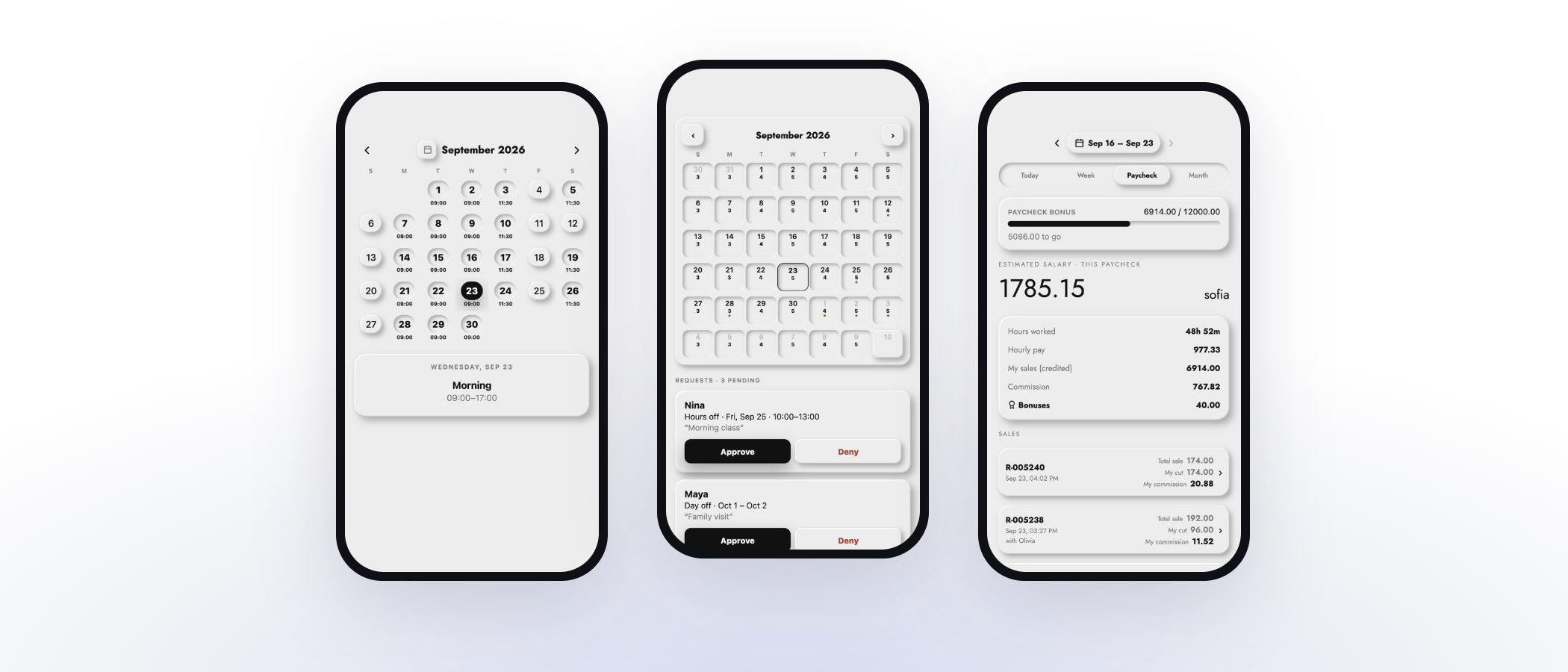
Seasonal staff are often students or people with a second job, and shifts change often in December. A schedule posted in a group chat is buried in a day. With full staff scheduling on every MazalPOS plan, each employee sees their own shifts in the MazalTeam app, always the current version. When you change a shift, they see it on their phone. Nobody has to text the manager to ask what time they start tomorrow.
How do holiday time-off requests work?
Holiday staff will ask for days off around family plans. In MazalPOS, an employee asks for a day off in the app, and the manager gets the request on their phone and taps approve or decline. The employee sees the answer right away, and an approved day comes off the schedule. There is a record of who asked for what, and when. See how time-off requests work.
How do seasonal hours flow into payroll?
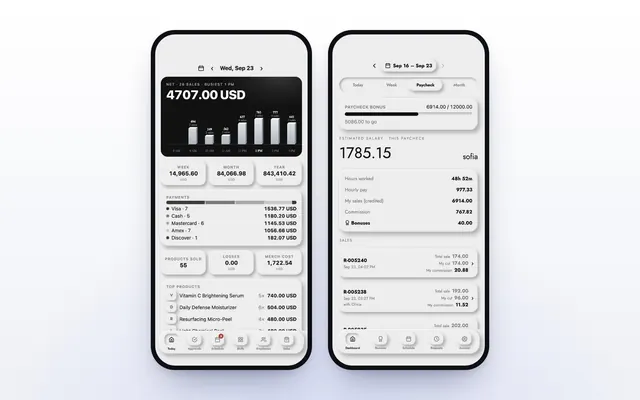
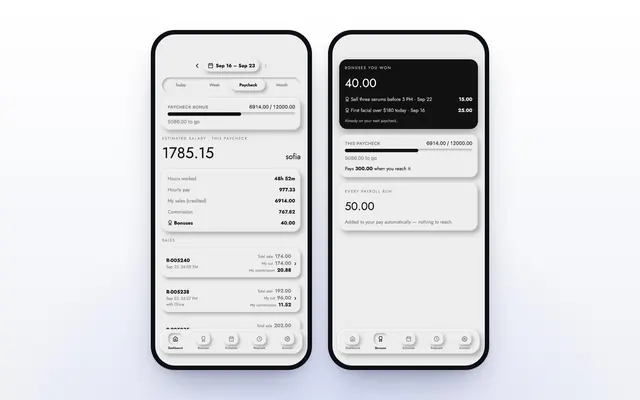
Staff clock in and out from the MazalTeam app or the register. Those hours count toward the pay period on their own, the 1st to the 15th and the 16th to the end of the month, next to each employee's sales and commission. On the Growth plan, payroll adds itself up, so the last week of December does not turn into an evening of adding up timesheets.
When does overtime start for seasonal staff?
Under the Fair Labor Standards Act, unless an employee is exempt, covered employees must be paid overtime for hours worked over 40 in a workweek, at not less than time and one-half their regular rate of pay. A part-timer who picks up extra shifts in the week before a holiday can cross 40 hours without anyone noticing. Check each employee's hours for the week before you add one more shift. The federal minimum wage is $7.25 an hour, and many states set a higher one; employers must follow both.
What are the rules for workers under 16?
Many stores hire teenagers for the holidays. The Department of Labor limits when 14 and 15 year olds may work: outside school hours only, no more than 3 hours on a school day, including Fridays, no more than 8 hours on a non-school day, no more than 18 hours in a week when school is in session, and no more than 40 hours in a week when school is out. They may only work between 7 a.m. and 7 p.m., with the evening hour extended to 9 p.m. only from June 1 to Labor Day. So in November and December the 7 p.m. limit applies. Your state may have stricter rules.
Can I pay commission during the holiday rush?
Commission keeps seasonal staff selling, not only ringing up. On the Growth plan, MazalPOS works out commission on every sale with the goals and rates you set, and when an employee reaches a goal, the rate they reached applies to their whole day. Seasonal staff see their own sales and commission in the app, which is a good reason to suggest the gift set next to the register. Read how commissions are worked out.
What do I do when the season ends?
On a seasonal hire's last day, mark them inactive. In MazalPOS, an inactive employee drops off the active team list, and their sales history stays on record, so the last pay period still adds up.
What does it cost to add seasonal staff?
MazalPOS is priced per location, with no charge for each employee, so ten extra holiday hires cost nothing extra. Essentials is $99 a month: the register, inventory, customers, reports, full staff scheduling, the MazalTeam app, and card and cash payments. Growth is $169 a month: everything in Essentials plus the online store connected to the register, payroll and commissions, and more than one location under one login. Every plan starts with 14 days free, no card, month to month. See pricing.
Holiday staff checklist
- Shifts planned from last year's busiest days.
- One login per person, set up before their first shift.
- Managers approve prices below the minimum and refunds.
- The schedule in the staff app only, not in a group chat.
- Time-off requests in the app, answered quickly.
- Weekly hours checked against the 40 hour line.
- Hours for workers under 16 kept within the federal limits.
- Seasonal staff marked inactive on their last day.
Common questions
Plan the shifts from last year's busiest days, then put the schedule in a staff app so each employee sees their own shifts on their phone. In MazalPOS, scheduling and the MazalTeam app are on every plan.
Under the federal Fair Labor Standards Act, covered employees who are not exempt must get at least time and one-half their regular rate for hours over 40 in a workweek, part-time or not.
Federal rules allow 14 and 15 year olds no more than 3 hours on a school day, 8 hours on a non-school day and 18 hours in a school week, between 7 a.m. and 7 p.m. States can be stricter.
No. MazalPOS is priced per location, $99 or $169 a month, with no charge for each employee.
Sources

Written by Mike Akop, founder of MazalPOS. We build and support the register, online store and staff app that stores from Las Vegas to Honolulu run on. Questions about this guide? Talk to a real person.