On this page
Key takeaways
- Most POS systems sell scheduling, commissions and payroll as a higher plan or a separate app.
- Square puts scheduling and commissions tracking in Plus and Premium, and payroll is its own product.
- Shopify POS and Lightspeed Retail point you to partner apps for schedules and payroll.
- Clover includes shift management on its Standard and Advanced retail systems; payroll is an add-on.
- MazalPOS includes scheduling and the staff app on every plan, and commissions and payroll totals on Growth.
Most retail POS systems do not include payroll and staff scheduling in their base plan. Square puts scheduling and commissions tracking in its paid plans and sells payroll separately, Shopify POS and Lightspeed Retail send you to partner apps, and Clover includes shift management on its bigger systems with payroll as an add-on. MazalPOS includes schedules and a staff app on every plan, and commissions and payroll totals on Growth.
What “included” should mean
For a store with a team, staff tools are five jobs that feed each other: a schedule each employee can see, time-off requests a manager can approve, clock-in that records hours, commission worked out on every sale, and totals for each pay period. When those live in separate apps, someone copies numbers between them at the end of every period, and that is where mistakes start.
Who includes what
| System | Staff scheduling | Commissions | Payroll |
|---|---|---|---|
| Square | Plus and Premium plans | Commissions tracking on Plus and Premium | Square Payroll, a separate paid product that files taxes |
| Shopify POS | Apps such as Homebase | Paid apps | Apps such as Homebase Payroll |
| Lightspeed Retail | Partner apps | Not on the pricing page | Partner apps |
| Clover retail | Shift management on Standard and Advanced, not Basic | Not on the pricing page | Payroll integrations, an optional add-on |
| MazalPOS | Every plan, with the MazalTeam app | Growth plan | Hours and commission totals on Growth (no tax filing) |
Read on each vendor’s own pricing page: Square, Shopify, Lightspeed on October 20, 2026, and Clover on October 28, 2026. For the monthly prices of each, see how much a POS system costs.
How it works in MazalPOS
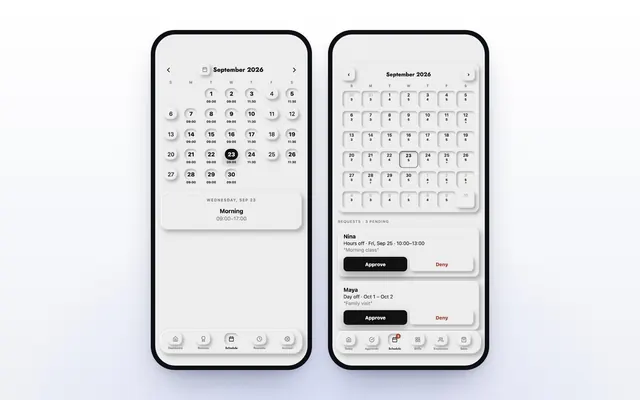
You build the week once, and every employee sees their shifts in the MazalTeam app on their own phone. They ask for days off in the app, and the manager approves from their phone. Staff clock in and out from the app or the register, and those clock-ins become the hours for the pay period.
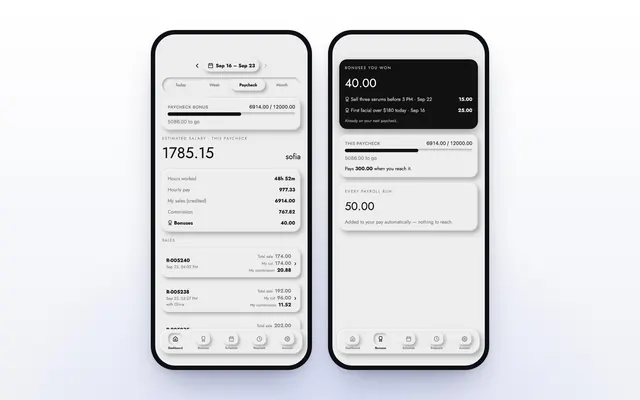
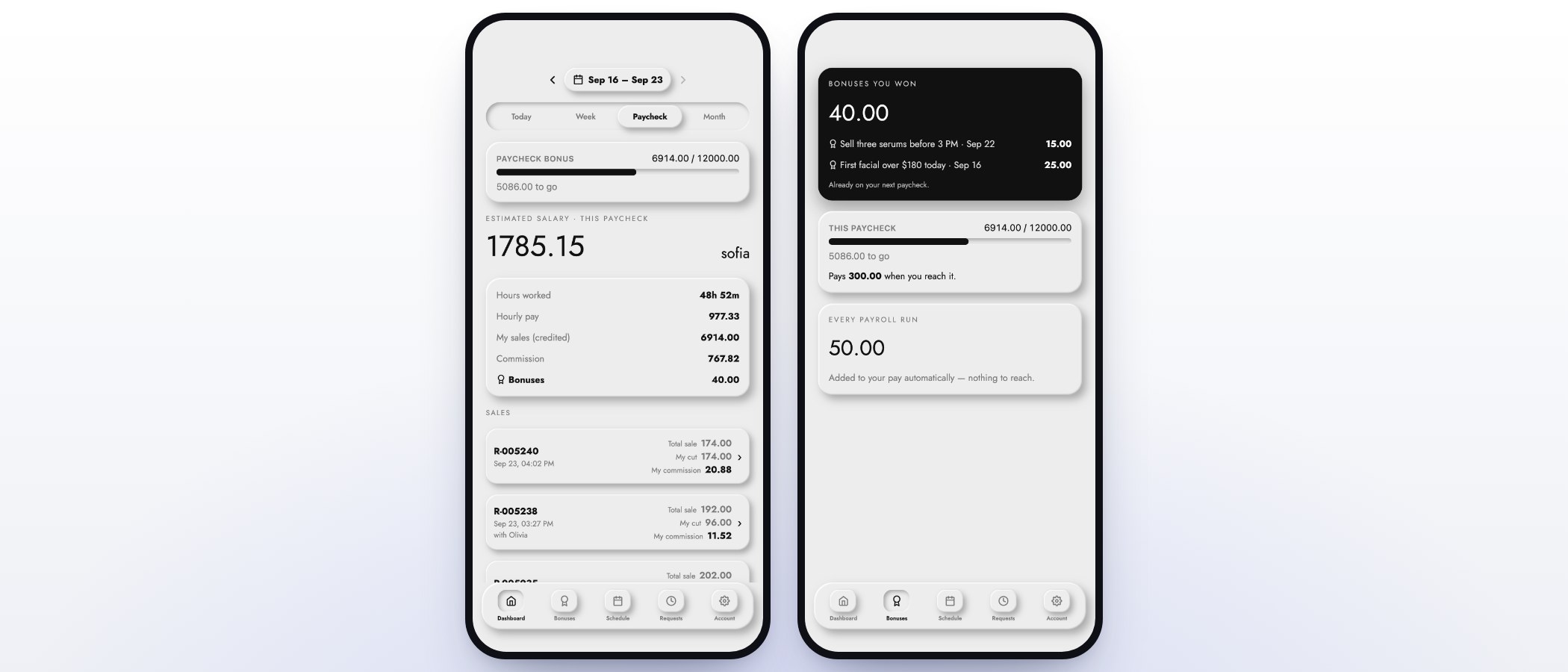
On the Growth plan, commission is worked out on every sale with the goals and rates you set. When an employee reaches a goal, the reached rate applies to their whole day. Pay periods run from the 1st to the 15th and the 16th to month end, and hours and commission are totaled for each period. Read how to pay commissions without spreadsheets.
Payroll totals or payroll that files taxes?
These are two different things. Payroll totals tell you what each person earned: hours, commission and the period’s total. Running payroll means paying people and handling withholding, deposits and returns. The IRS Employer’s Tax Guide, Publication 15, sets out what an employer must withhold, deposit and report.
MazalPOS does the first job and hands clean totals to your payroll provider or accountant. It does not file payroll taxes. Square Payroll does both, for an extra monthly fee and a fee for each person paid. Pick by who runs payroll today: if an accountant or payroll service already files for you, totals are what you need.
Keep the records the law asks for
Under the Fair Labor Standards Act, the Department of Labor’s Fact Sheet #21 says employers must keep records such as the hours worked each day and each workweek and the wages paid. When clock-ins happen in the same system as the register, those hours are recorded as people work, not rebuilt from a paper sheet later.
Questions to ask before you buy
- Is scheduling in the plan I am buying, or a higher plan?
- Does every employee get an app with their own schedule, hours and sales?
- Is commission worked out for me, including goals?
- Does payroll file taxes, or give me totals for my provider?
- Is there a charge for each employee or each person paid?
- Will you move my staff, hours and payroll history from my old system?
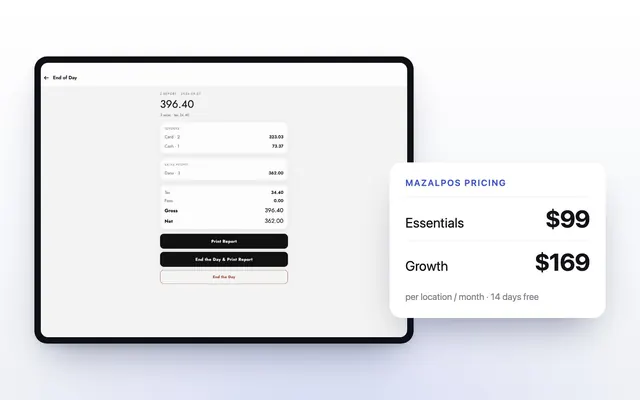
MazalPOS is $99 or $169 per location a month with no charge for each employee, and we move your staff, hours and payroll history for free. See plans and pricing, or compare MazalPOS vs Square and MazalPOS vs Clover.
Common questions
Square sells Square Payroll as a separate paid product that files taxes. Shopify POS and Lightspeed Retail use partner apps, and Clover lists payroll integrations as an add-on. MazalPOS totals hours and commission on its Growth plan, without tax filing.
MazalPOS includes staff scheduling and the MazalTeam staff app on every plan. Square includes scheduling on Plus and Premium, and Clover includes shift management on its Standard and Advanced retail systems.
No. MazalPOS adds up hours and commission for each pay period so your payroll provider or accountant can run payroll.
No. The price is per location, $99 or $169 a month, the same for 3 or 30 people.
Sources

Written by Mike Akop, founder of MazalPOS. We build and support the register, online store and staff app that stores from Las Vegas to Honolulu run on. Questions about this guide? Talk to a real person.