On this page
- What is all-in-one spa management software?
- What should spa software do before the client arrives?
- How does check-in work at the front desk?
- What happens in the treatment room?
- How does checkout work when a visit includes retail and packages?
- How does spa software bring clients back?
- How are spa therapists paid in an all-in-one system?
- What does all-in-one spa software cost?
- What should be on an all-in-one spa software checklist?
- Common questions
The short answer
- What it is: one system that runs the whole spa visit, from the online booking to the therapist's commission, with one client record.
- Must haves: booking with rooms and deposits, forms sent before the visit, check-in, one ticket for treatments and retail, packages, and automatic staff pay.
- For med spas: add charting with sign-off, before and after photos, and lot and expiry tracking.
- Cost: MazalPOS is $99 or $169 per location a month, with no fee per provider.
All-in-one spa management software is one system that runs the entire spa visit: online booking, intake and consent forms, check-in, treatment notes, checkout, retail stock, client marketing and staff pay, all on one client record. The point is fewer apps, fewer logins and numbers that match at the end of the day.
Most spas start with a booking app, add a forms tool, a card reader, a spreadsheet for commissions and an email tool. Each one holds a piece of the client. This guide walks through the visit in order and lists what each step should do, using MazalPOS as the worked example because it is the system we build.
What is all-in-one spa management software?
All-in-one spa management software is a single system for booking, forms, check-in, checkout, retail, marketing and payroll, so every part of the visit writes to the same client card. When a client books a facial online, signs her consent, buys a serum at checkout and gets a thank-you email, all four land on one profile your team can read.
The test is simple: can a manager open one client and see her visits, signed forms, packages left, purchases and balance without opening a second app? If the answer is no, the software is a set of tools, not one system.
What should spa software do before the client arrives?
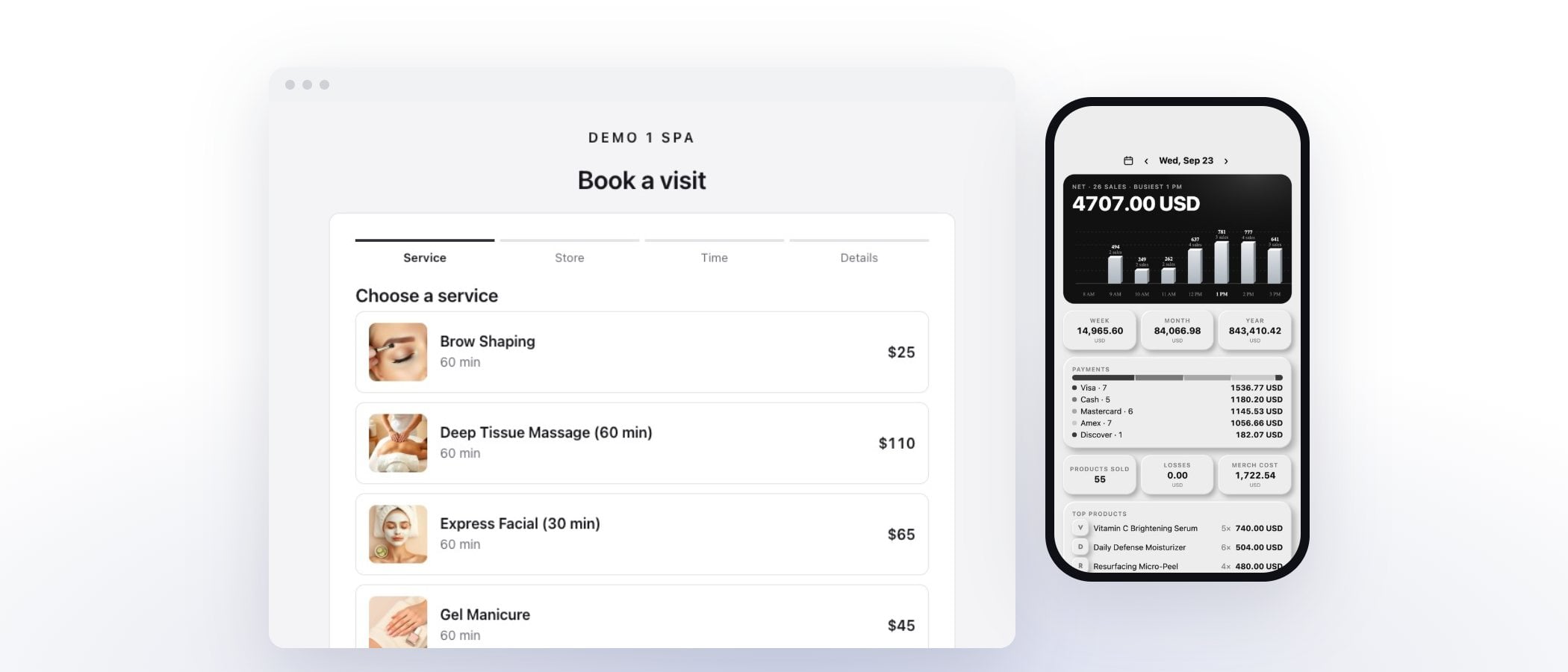
Before the client arrives, spa software should book the right person in the right room, take a deposit, and send the forms she still owes. In MazalPOS that looks like this:
- Rooms and credentials. Each room keeps its own hours, a service can ask for a credential such as RN or laser certified, and a service can book a second person for all or part of the visit. The booking page only offers times when the room, the provider and the store are all open.
- Deposits, full price or card on file. You choose per service, with a no-show fee if you want one.
- Waitlist. When a time opens from a cancel or a move, waiting clients get a link by email and text. The first to claim it gets it.
- Messages and changes. Booked, confirmed, moved, reminder and follow-up messages each have their own email and text switch, and every visit has a private link where the client can move or cancel inside your cutoff.
- Forms ahead of time. If a booked service needs a consent she has not signed, she gets it by email and text in the 72 hours before the visit, with reminders until it is done.
How does check-in work at the front desk?
Check-in works best on an iPad by the door: the client types her phone number, sees her visit and fills in anything still due. The MazalPOS kiosk only shows her first name, the time and the service, never a last name, email or price, and a number that matches nothing gets the same answer as any other, so it cannot be used to look people up.
If she already signed everything at home, check-in takes one tap. If not, the kiosk opens the forms she still owes right there, and the front desk sees her as arrived on the calendar.
What happens in the treatment room?
In the treatment room the provider needs the client's history, the right notes and, for medical services, a chart that locks once it is signed. MazalPOS has a medical switch for med spas. When it is on, providers write one chart per treatment, sign it, and fixes after signing become addenda. A nurse or medical director can co-sign when asked, every read of a chart is logged, and before and after photos sit under a signed photo release.
Signing a chart can take the back bar product used out of stock, and lots and expiry dates are tracked, so you know which lot went into which client. For a day spa that does not chart, the switch stays off and none of it shows.
How does checkout work when a visit includes retail and packages?
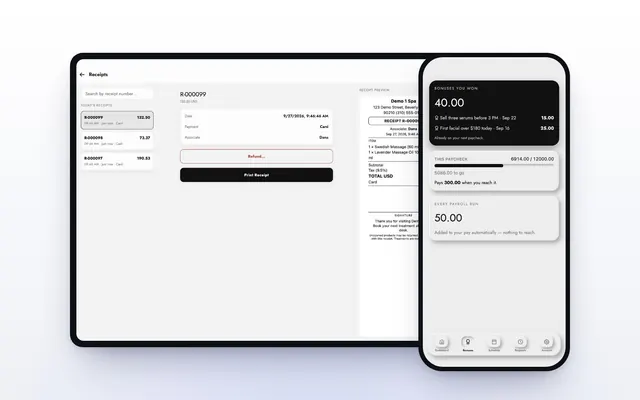
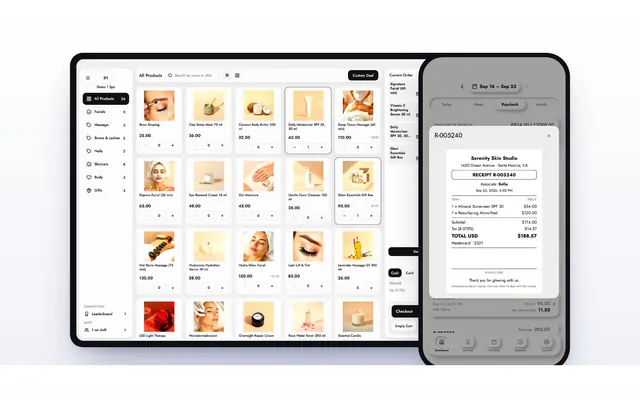
Checkout should ring the treatment, the products and any package session on one ticket, take the deposit off the total and split payment however the client likes. On the MazalPOS register, the deposit already sits on her balance, the package visit is ticked off her card, a tip and a coupon go on the same ticket, and she can pay by card, cash, gift card or store credit. Larger purchases can go to Affirm or Purchasing Power financing.
Packages work the way spas sell them: six sessions bought, two used, four left, with each visit ticked with the time, who did it and a note. Only a manager can untick a session. The register is offline-first, so a dropped Wi-Fi connection does not stop a sale.
How does spa software bring clients back?
Spa software brings clients back by knowing what each client bought and sending the right next step on its own. MazalPOS gives every client a portal where she signs in with a 6-digit code (no password) and sees her packages, receipts, upcoming visits and forms. Email campaigns go only to clients who said yes to email, and ready-made automations handle the rest: a task to call a new lead within the hour, a nudge to book her remaining sessions, a follow-up when a form comes in.
Points earn on what she buys, gift cards and store credit live on her card, and an optional face scan suggests treatments to discuss. The scan speaks in consult language only, and treatments that need a provider show “Book a consult” instead of a price.
How are spa therapists paid in an all-in-one system?
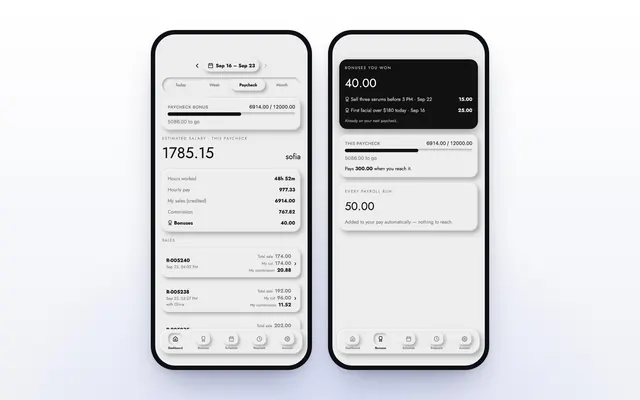
In an all-in-one system, therapists are paid from the same sales that rang up at the register, so nobody rebuilds commissions in a spreadsheet. MazalPOS works out commission on every sale. When a goal is reached, the reached rate applies to the whole day. Payroll adds itself up for each pay period, the 1st to the 15th and the 16th to the end of the month, and each person sees their hours, sales and pay in the MazalTeam phone app, where they also clock in and ask for time off.
Read more in how to pay commissions at a spa or salon.
What does all-in-one spa software cost?
All-in-one spa software usually costs from about one hundred to a few hundred dollars per location each month, before card processing and add-ons, and the biggest swing is whether you pay per provider. MazalPOS is $99 per location a month on Essentials and $169 on Growth, with no fee per provider, 14 days free, no card, and month to month. Growth adds the online store on the same inventory, payroll and commissions, and multi-location.
When you compare, price your whole team: a plan with a low base and a fee per user grows every time you hire, while a per-location price stays the same. Then add the extras some systems sell separately, such as forms, texting, payroll and data import. For a side by side with prices, see the med spa POS ranking or Boulevard alternatives.
What should be on an all-in-one spa software checklist?
An all-in-one spa software checklist should cover the whole visit, not only the calendar. Ask for each of these in the demo:
- Rooms with their own hours, and services that need a credential or a second person
- Deposits, card on file and a no-show fee, set per service
- A waitlist that offers freed times automatically
- Consent forms sent before the visit, with reminders
- An iPad check-in that shows only what the client needs
- Charting with sign lock, addenda and co-sign, if you are a med spa
- Treatments, retail and package sessions on one ticket
- Commissions and payroll worked out from the same sales
- A client portal with no password
- Free data move from your old system
Switching is easier than most owners expect: we move clients, products, staff and sales history for free and most spas are set up in one day. See how to switch POS systems without losing data.
Common questions
The best all-in-one spa software is the one that runs your whole visit on one client record at a price that does not grow with every hire. MazalPOS covers booking with rooms, forms, check-in, checkout, packages, marketing and staff pay for $99 or $169 per location a month with no fee per provider.
No. A spa POS rings up the sale, while spa management software also books the visit, sends forms, checks clients in and pays staff. An all-in-one system includes the POS as one part.
Yes. In MazalPOS each room has its own hours and capacity, services can require a room, a credential or a second person, and a room use report shows booked minutes against open minutes.
It depends on the system. MazalPOS has a medical switch for med spas with charts that lock on signing, addenda, co-sign and before and after photos. Day spas leave it off.
Most spas are set up on MazalPOS in one day. We move clients, products, staff, sales history, hours and payroll from the old system for free.

Written by Mike Akop, founder of MazalPOS. We build and support the register, online store and staff app that stores from Las Vegas to Honolulu run on. Questions about this guide? Talk to a real person.