On this page
- Can salon software run payroll?
- How does salon software pay commission on services and retail?
- What is tiered commission, and how should it pay?
- Booth renters or commission stylists: can one system handle both?
- How are tips handled and paid out?
- What pay periods does salon payroll use?
- How does overtime work for hourly stylists?
- What do Vagaro, Square, GlossGenius and Mangomint charge for payroll?
- What does MazalPOS cover, and what does it leave out?
- What should you ask before you buy salon software with payroll?
- Common questions
Key takeaways
- Some salon software only totals hours and commission for each pay period, and some pays your team and files taxes. Ask which one you are buying.
- Payroll is an add-on almost everywhere. On Vagaro, Square Payroll, GlossGenius and Mangomint it adds about $59 to $90 a month for five people.
- The Department of Labor says employers cannot keep tips, and that overtime past 40 hours in a workweek counts commission in the rate.
- Check services against retail, tips, booth renters, pay periods and overtime on a real ticket before you buy.
- MazalPOS Growth is $169 per location with payroll totals and commissions and no per-employee fee. It does not file taxes or pay by direct deposit.
Salon software with payroll tracks each stylist’s hours, commission and tips and turns them into a total for every pay period, and the best versions work out service and retail commission for you. What differs is how far the payroll goes: some systems stop at the totals, and some pay your team and file the taxes for an extra monthly fee.
Can salon software run payroll?
Yes, some salon software runs payroll, but most sells it as a paid add-on, and the add-ons do two very different jobs. One kind totals each stylist’s hours and commission for the pay period. The other pays your team, withholds taxes and files them.
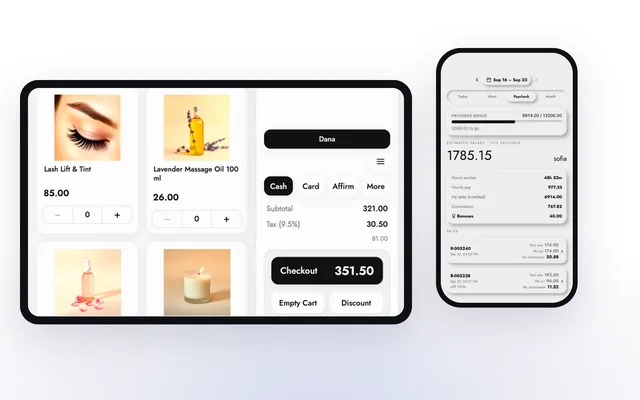
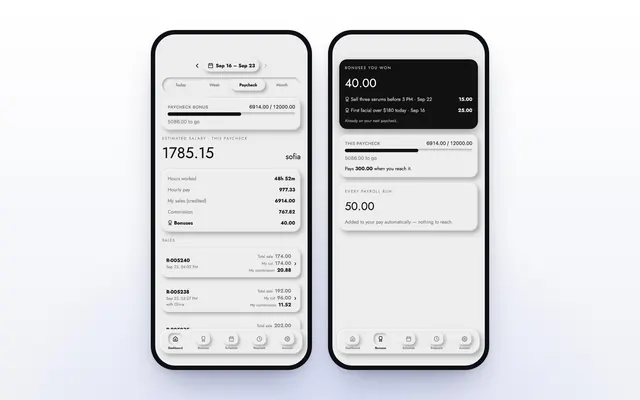
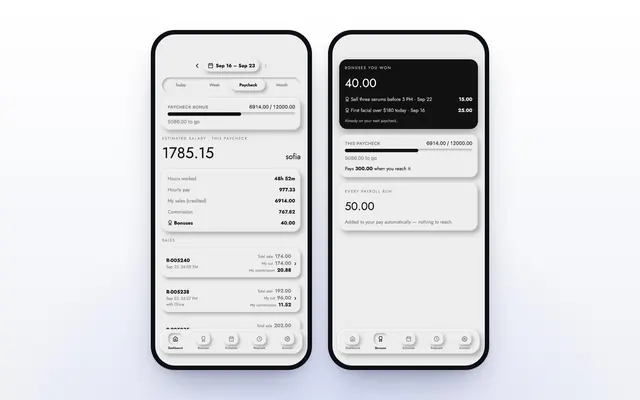
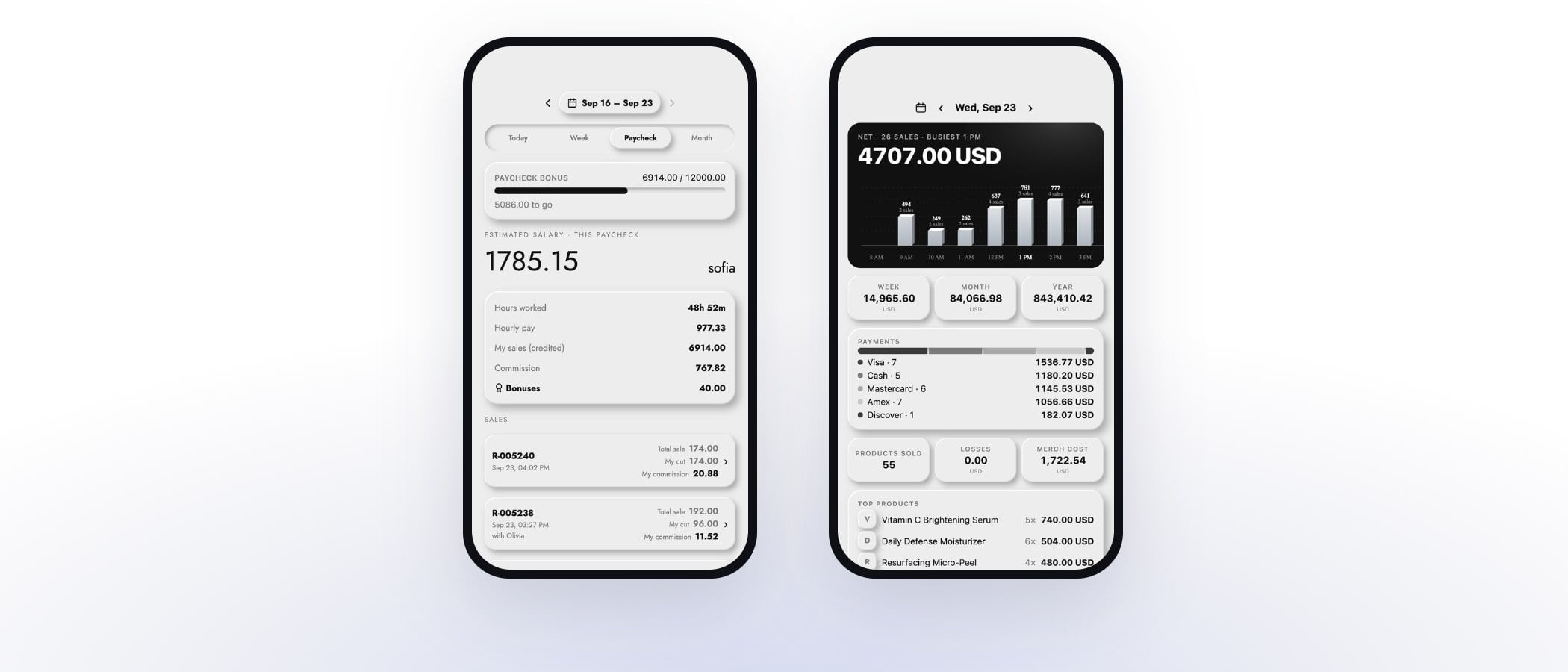
Square Payroll lists automatic federal tax payments and filings, and pay by check or direct deposit. Mangomint’s payroll add-on says it pays your team, syncs with QuickBooks and files taxes for each location. MazalPOS staff and payroll is the first kind: it totals hours, hourly pay, commission and bonuses for each pay period, so you or your accountant can run the paycheck. It does not file payroll taxes or pay by direct deposit.
Neither kind is wrong. It depends on whether you already have a payroll provider or an accountant, and on how much of the work you want the salon software to take over. The rest of this guide covers the questions that decide it. For retail stores, see which POS systems include payroll and scheduling.
How does salon software pay commission on services and retail?
Salon software pays commission by crediting each line on a ticket to the stylist who earned it and applying the rate you set, and your job is to check that services and retail can be paid the way your salon pays them. A color service, a gloss and two bottles of shampoo can all sit on one ticket, and each line has to land in the right stylist’s pay.
Ask the vendor to ring up one ticket with a service and a retail product and show you what each line pays, and what happens when two stylists share a client. GlossGenius lists customizable commissions and team goal setting on its Platinum plan, and Square lists commissions tracking among its team features.
In MazalPOS, commission is worked out on every sale with the goals and rates you set, on the Growth plan. A sale can be split by percent between two sellers, and the split always adds up to 100%. When a card sale is disputed, that commission waits until it is settled, and the employee sees why. To design the plan itself, read how to pay commissions at a spa or salon.
What is tiered commission, and how should it pay?
Tiered commission pays a higher percentage as a stylist’s sales go up, and the part to check is whether the higher rate applies to the whole amount or only to the dollars above the line. Systems differ, and the difference changes a paycheck.
MazalPOS pays the whole day at the rate reached. Say a stylist earns 10% below $1,000 in a day and 12% at $1,000 or more. A $1,200 day pays 12% of $1,200, which is $144, with no slicing of the day. A plan can also add an hourly rate, a fixed monthly amount, a bonus for reaching a sales goal and a bonus added to every pay period. If your salon pays a base wage plus commission, make sure the software can hold both on one plan.
Booth renters or commission stylists: can one system handle both?
Booth renters and commission stylists are paid in opposite directions, so check that the software can handle both before you rely on it. A commission stylist earns pay from the salon. A renter pays the salon rent and keeps their own sales.
Mangomint says it supports booth renter and hybrid models, with unique booking links, multiple payment accounts, client ownership settings and the ability for renters to sell their own products, and it counts each booth renter as a user. GlossGenius lists separate bank accounts for booth renters among its payment features.
MazalPOS is built for employees paid hourly, on commission, or both. It does not set up separate payment accounts for renters, so a salon that is mostly booth rental should look at the vendors above first. Whether a person counts as an employee or a renter is a question for your accountant, not your software.
How are tips handled and paid out?
Tips belong to the staff, so the software should record each tip against the person who earned it, let you split it when more than one person served the client, and keep it out of the commission base. The U.S. Department of Labor says an employer cannot keep employees’ tips under any circumstances, and that managers and supervisors may not keep tips from a tip pool.
It also says an employer that collects tips for a mandatory tip pool generally must redistribute them in full within the pay period. So a tip-out to assistants or the front desk needs a clear record of who got what. Square lists tip pooling, which divides each card tip equally among tip-eligible employees who were clocked in, and lets staff claim cash tips. To try the math on one stylist’s week, use the free commission and tip pool calculator.
What pay periods does salon payroll use?
The software’s pay period has to match the one you actually pay on, so ask which periods it supports before you commit. A system built on two periods a month will fight a salon that pays every Friday.
MazalPOS runs two pay periods a month: the 1st to the 15th, and the 16th to the end of the month. Hours from clock-ins and commission from every sale are totaled for each period, so the totals are ready when the period closes. If an employee’s pay for a period comes out below zero, it becomes $0, and the difference moves to the next paycheck once.
How does overtime work for hourly stylists?
Under the Fair Labor Standards Act, covered employees who are not exempt must be paid at least one and one half times their regular rate for hours over 40 in a workweek. The Department of Labor describes a workweek as a fixed, repeating 168 hours that need not match the calendar week, and says hours cannot be averaged across weeks.
Commission counts. When pay includes commission, the department says overtime is computed from the average hourly rate across all of that week’s earnings, so the software has to know both hours and commission for the same week. Your state may set stricter rules, so check yours.
The records matter just as much. The department says employers must keep payroll records for at least three years and time cards for two. In MazalPOS, staff clock in and out from the MazalTeam app or the register, and those clock-ins become the hours for the pay period. Ask any vendor whether it flags weeks over 40 hours or leaves that to you.
What do Vagaro, Square, GlossGenius and Mangomint charge for payroll?
On Vagaro, Square Payroll, GlossGenius and Mangomint, payroll costs about $59 to $90 a month for a five-person salon, on top of the software itself. Each vendor charges a base fee plus an amount for each person paid.
How this list was made: MazalPOS publishes this guide and lists its own price next to the others. Every competitor price below was read on that company’s own page on November 19, 2026. Prices change, so check the live page before you sign.
| Software | Payroll price | Five people paid |
|---|---|---|
| Vagaro | $34/mo plus $5 per employee | $59 |
| Square Payroll (full service) | $35/mo plus $6 per person paid | $65 |
| GlossGenius | $40/month plus $6 per seat | $70 |
| Mangomint | $50/mo plus $8 per worker | $90 |
| MazalPOS | Payroll totals and commissions are in Growth, $169 per location, no charge per employee | Included in the plan price |
Boulevard does not list a payroll price on its pricing page. The totals above are the add-on alone: Vagaro, GlossGenius and Mangomint also charge for the software, and the add-on grows with every person you pay. For the software prices, see how much salon software costs a month.
What does MazalPOS cover, and what does it leave out?
MazalPOS Growth covers hours, commission and pay period totals for every employee, and leaves out tax filing, direct deposit and booth renter accounts. It costs $169 a month per location, with no charge for each employee, and Essentials is $99.
- Included: the MazalTeam phone app where each employee clocks in, sees hours, sales and commission, and asks for days off; goals and rates applied to every sale; hourly rate plus commission on one plan; split sales; pay period totals; and reports for the owner.
- Not included: filing payroll taxes, paying by direct deposit, and separate accounts for booth renters. Hand the totals to your payroll provider or accountant.
Every plan starts with 14 days free, no card, month to month, and we move your staff, hours and payroll history from your old system for free. See pricing.
What should you ask before you buy salon software with payroll?
- Does it pay commission on services and retail the way I pay today?
- Can it hold an hourly rate plus commission on one plan?
- Can it split a sale between two stylists?
- How are tips recorded, split and kept out of commission?
- Can it handle booth renters if I have them?
- Which pay periods does it support, and do they match mine?
- Does it show hours and commission together for a 40-hour week?
- Does it file taxes and pay by direct deposit, or hand me totals?
- What does payroll cost for the number of people I pay?
If a vendor cannot show these on a real ticket and a real pay period during a demo, assume the spreadsheet is still part of the process.
Common questions
Some does. Square Payroll lists automatic federal tax payments and filings, and Mangomint’s payroll add-on files taxes for each location. MazalPOS totals hours and commission for each pay period but does not file payroll taxes.
You need payroll that withholds and files taxes if you have employees. You can buy it as an add-on to your salon software or use a payroll provider or accountant, and feed it the hours and commission totals your salon software produces.
As an add-on, Vagaro costs $59, Square Payroll $65, GlossGenius $70 and Mangomint $90 for five people, read on each company’s page on November 19, 2026. MazalPOS Growth is $169 a month per location and includes payroll totals and commissions with no per-employee fee.
Yes, if the plan can hold both. In MazalPOS, one plan can carry an hourly rate, commission tiers, a fixed monthly amount and sales goal bonuses, and the totals show up for each pay period.
Sources
- U.S. Department of Labor: Tip Regulations under the Fair Labor Standards Act, as of November 2026
- U.S. Department of Labor: Fact Sheet #23, Overtime Pay Requirements of the FLSA, as of November 2026
- U.S. Department of Labor: Fact Sheet #21, Recordkeeping Requirements under the FLSA, as of November 2026
- Vagaro: US pricing and add-ons, as of November 2026
- Square Payroll: Pricing, as of November 2026
- Square: Pricing for appointments and payments, as of November 2026
- GlossGenius: Pricing, as of November 2026
- Mangomint: Pricing, as of November 2026
- Boulevard: Pricing tiers and feature comparison, as of November 2026

Written by Mike Akop, founder of MazalPOS. We build and support the register, online store and staff app that stores from Las Vegas to Honolulu run on. Questions about this guide? Talk to a real person.