On this page
- Does the POS count every size and color separately?
- Does the register share one stock count with your website?
- How should a POS pay staff commission?
- How should a POS handle returns and store credit?
- Does the POS keep selling when the internet drops?
- What does a boutique POS cost, and which fees should you ask about?
- Can you move your products, customers and sales history over?
- What should you test in a free trial before you choose?
- Common questions
Key takeaways
- Test the POS with your own product: one item in several sizes and colors must show a separate count for each.
- The register and the website must read one stock count. FTC rules say a web seller must ship in the stated time, or in 30 days if none is stated, or offer the buyer a delay or a prompt refund.
- Check what commission does on a refund and on a goal before you sign. MazalPOS takes commission back off the seller in proportion to the refund, on the Growth plan.
- MazalPOS cash sales keep going offline, but card sales on the card machine need a connection. It cannot ring sales on a phone.
- MazalPOS is $99 or $169 a month per location, with no charge for each employee, and 14 days free with no card.
You choose a boutique POS by testing six things before you look at the price: a separate count for every size and color, one stock count shared with your website, commission that follows refunds, returns and store credit that need a manager, selling through an outage, and every fee in writing. Each one below is a question to ask a vendor and a test to run in a free trial. MazalPOS is one option, and the checklist works for any system.
Does the POS count every size and color separately?
A boutique POS has to keep a separate stock count for every size and color, or it will tell you a medium is in stock when only smalls are left. Customers do not buy a top, they buy the medium in black. One top in four sizes and three colors is twelve counts, and a system that shows one number for the top cannot tell you which of the twelve you sold.
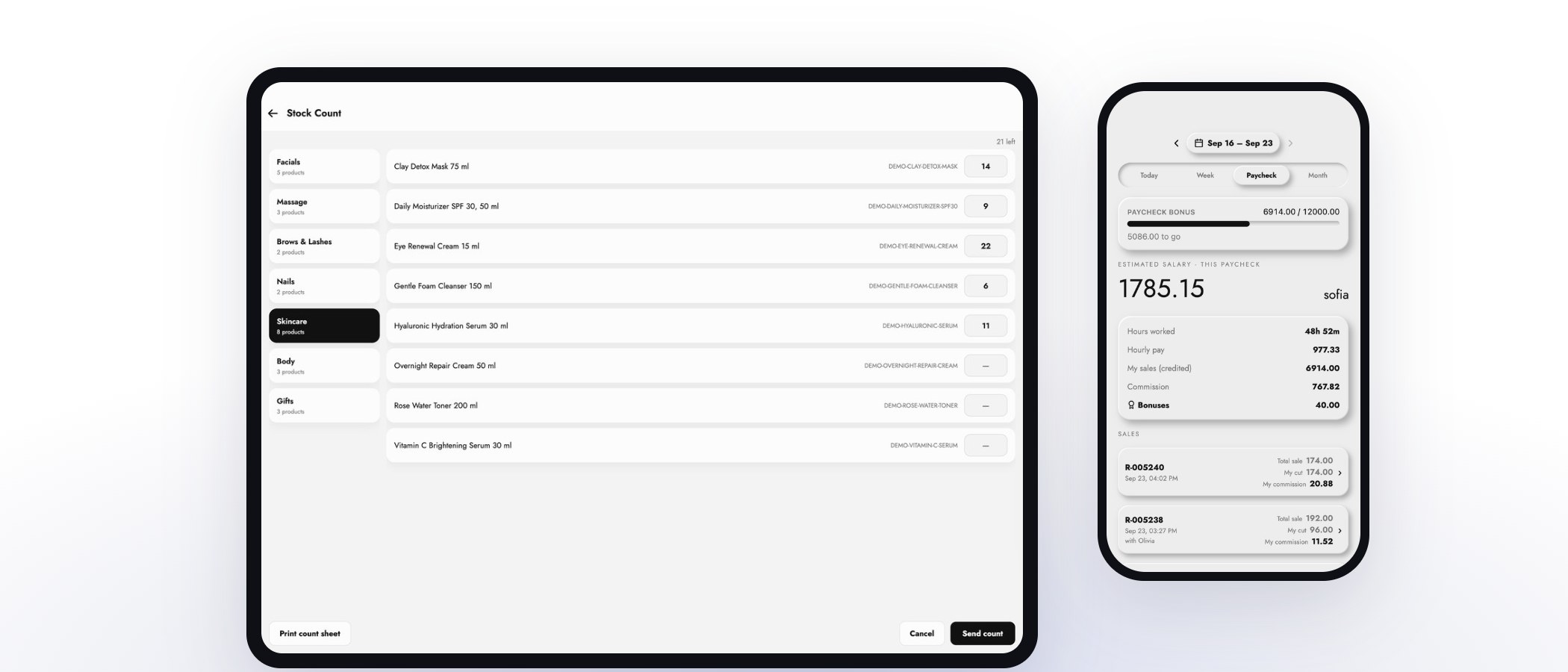
Test it before you buy. Make one product with several sizes and colors, sell one variant, and check that only that count drops. Then count a rack. Ask how a manager counts stock and logs damage, and whether low-stock alerts work per variant, not per product.
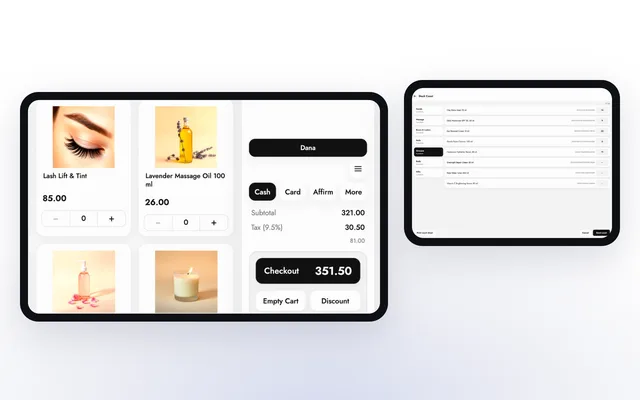
In MazalPOS, sizes and colors are tracked on one inventory, so every variant has its own count. Transfers between locations take a few taps, low-stock alerts show what is running out, and managers can count stock from their phone at the shelf. Our clothing boutique POS guide goes deeper on variants, labels and regulars.
Does the register share one stock count with your website?
It should, because a sale at the counter and a sale on the website have to lower the same number at the same moment. If the two keep separate counts, the last small in a color can sell twice, and one of the two buyers gets a refund instead of a dress.
The oversell is also a legal problem, not just an annoyance. The FTC’s Mail, Internet, or Telephone Order Merchandise Rule says a seller must have a reasonable basis to expect it can ship within the time it states, or within 30 days if it states none. If you cannot, you must offer the buyer a clear choice: agree to a delay, or cancel and get a prompt refund. This is a summary of a federal rule, not legal advice, so read the rule and check your state.
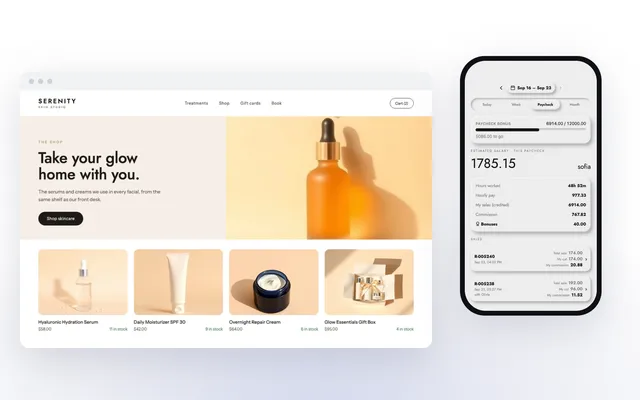
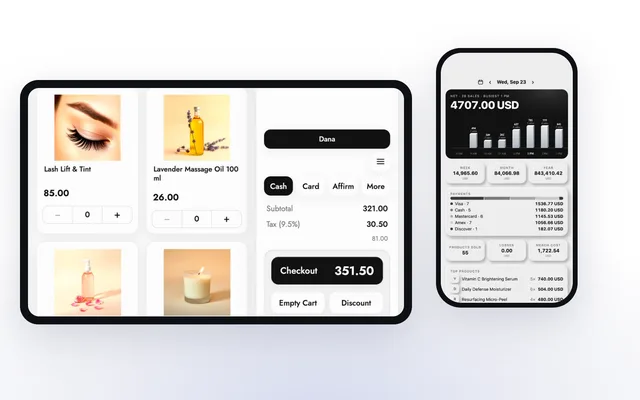
The test: put the last unit of a product in a website cart, then sell it at the counter. Does the site know? Also ask what happens to a web order: shipped, or picked up in the store, and where your team sees it. In MazalPOS the online store runs on the same catalog and stock as the register, web orders are shipped or picked up in the store, and both kinds of order land in one list next to counter sales. The online store is on the Growth plan. See how the online store works.
How should a POS pay staff commission?
A boutique POS should work out commission on every sale from the goals and rates you set, and take it back when a sale is refunded. Many boutiques pay stylists on what they sell, and doing it on a spreadsheet at month end is where the disputes start.
Ask three things. Can a goal change the rate, and does it apply to the whole day or only to sales after the goal? What happens to commission when a customer returns a dress next week? Can each employee see their own sales and commission, so they do not have to ask you?
In MazalPOS, commission is on the Growth plan. When an employee reaches a goal, the reached rate applies to their whole day. If a sale is refunded, the commission comes back off the seller in proportion to what was refunded. Every employee gets the MazalTeam app on their phone, where they see their own sales, hours and commission, and payroll adds itself up for each pay period, the 1st to the 15th and the 16th to the end of the month. See staff and payroll and the boutique commissions guide.
How should a POS handle returns and store credit?
A boutique POS should let you refund a whole receipt or only some of its lines, choose whether the item goes back on the shelf, and make a manager approve the refund. Fit and color drive most clothing returns, so this is a daily job in a boutique, not a rare one.
Test it with a real return: refund one line of a three-item sale, put it back in stock, and look at the stock count and the seller’s commission afterward. Then ask who is allowed to approve a refund, and where gift cards and store credit are listed.
In MazalPOS you can refund a whole receipt or only some of its lines, with the amount for each line, and choose per item whether it goes back into the stock count. Every refund at the register needs a manager, who approves it on their phone or types their own PIN at the register. Gift cards and store credit are listed on one page, with what was issued and what is left. Writing the policy itself is your call: see the boutique returns guide and, for the season, the holiday return policy guide. If you also sell gifts and gift cards, the gift shop POS guide covers the federal gift card rules.
Does the POS keep selling when the internet drops?
It should keep ringing sales, and you should ask exactly what still works, because every vendor says it has an offline mode. A boutique in a mall, on a busy street or at a pop-up will lose its connection at the worst time.
Ask four things: what is saved, where it is saved, what is blocked, and what happens when the link comes back. Then test it: turn off the Wi-Fi on the register and ring a cash sale.
MazalPOS is offline-first. A cash sale rung offline is saved on the device and sent to the server when the internet returns, with the time it was rung. Card sales on the card machine are the exception: the register asks the MazalPOS server to send the amount to the machine, so they need a connection. We do not claim a card can be approved while the internet is down. Plan for that with change in the drawer. The full detail is in our offline mode guide.
What does a boutique POS cost, and which fees should you ask about?
MazalPOS costs $99 a month on Essentials or $169 a month on Growth, per location, with no charge for each employee. Whatever system you look at, ask for every fee in writing before you sign, because the monthly price is rarely the whole bill.
Ask about the monthly price per location, any charge for each employee or each register, what the online store and commissions cost, the card rates and when money reaches your bank, setup or data-move fees, and how long the contract runs.
For a boutique with staff and a website, the plan that matters is Growth at $169. Essentials at $99 has the register, inventory, customers, reports, full staff scheduling, the MazalTeam app, and card and cash payments. Growth adds the online store connected to the register, payroll and commissions, more than one location and priority support. Every plan is month to month and starts with 14 days free, no card. See pricing and our guide to what a POS system costs.
Can you move your products, customers and sales history over?
You should be able to, and the vendor should do the move and show you the result before you commit. Re-typing a season of products with every size and color is the reason many boutiques stay on a system they dislike.
Ask what comes across: customers, products with their variants and stock, staff, sales history, hours and payroll. Ask what it costs and how long it takes.
MazalPOS moves customers, products, staff, sales history, hours and payroll from your old POS for free, and you are set up in one day. Read how to switch POS systems without losing data or see switching to MazalPOS.
What should you test in a free trial before you choose?
Test the six things that break a boutique, using your own products and your own staff, not the vendor’s demo data. A trial that you do not use tells you nothing.
- Sell one size and color, and check that only that count drops.
- Sell the last unit at the counter and check what the website shows.
- Ring a sale as one employee, refund one line, and check the stock and the commission.
- Turn off the Wi-Fi and ring a cash sale, then turn it on and check the sale arrived.
- Ring a sale on every device you plan to use. MazalPOS runs the register on an iPad or any computer, and it cannot ring sales on a phone. The staff phone app is for hours, sales, schedules and pay.
- Write down every fee, in the vendor’s own words.
MazalPOS has 14 days free on every plan, with no card. Customer profiles keep each shopper’s purchase history, invoices, balance and notes, so you can also check that your regulars show up at the counter. Start a free trial or book a demo and we will show you MazalPOS with your own products.
Common questions
The one that passes your own tests: a separate count for every size and color, one stock shared with your website, commission that follows refunds, selling through an outage and fees in writing. Run those tests in a free trial before you pay.
MazalPOS is $99 a month on Essentials or $169 a month on Growth, per location, with no charge for each employee. The online store, commissions, payroll and more than one location are on Growth. Every plan starts with 14 days free and no card.
Yes, if your shop has a weak connection or a pop-up. In MazalPOS cash sales keep going and sync when the internet returns, but card sales on the card machine need a connection.
Yes, on the Growth plan. Commission is worked out on every sale from the goals and rates you set, and it comes back off the seller in proportion when a sale is refunded.
Yes. MazalPOS runs the online store on the same inventory as the register, with shipping or in-store pickup. The online store is on the Growth plan.
Sources
- eCFR: 16 CFR Part 435, Mail, Internet, or Telephone Order Merchandise Rule (section 435.2), read November 24, 2026: the time to ship, and the delay or cancel offer when a seller cannot ship in time.

Written by Mike Akop, founder of MazalPOS. We build and support the register, online store and staff app that stores from Las Vegas to Honolulu run on. Questions about this guide? Talk to a real person.