On this page
- One system, not five apps
- A register that sells services and retail
- Staff pay, schedules and commissions
- One inventory for the shop and the website
- Payments, deposits and financing
- Client profiles your team can use
- Reports on the owner’s phone
- Switching and cost
- Salon and spa software checklist
- Common questions
Key takeaways
- Salon and spa software should run the register, retail stock, staff pay and reports from one login.
- Every employee should see their own schedule, hours, sales and commission on their phone.
- Deposits, pay links and financing belong on the same register as cash and cards.
- Moving from your old system should be free and take about a day.
One system, not five apps
Most salons and day spas end up with a register, a spreadsheet for commissions, a group chat for the schedule, a separate shop for the website and a notebook for deposits. Good salon and spa management software replaces all of that with one system and one login. When a sale happens, the stock, the stylist’s pay and the day’s report update together.
A register that sells services and retail
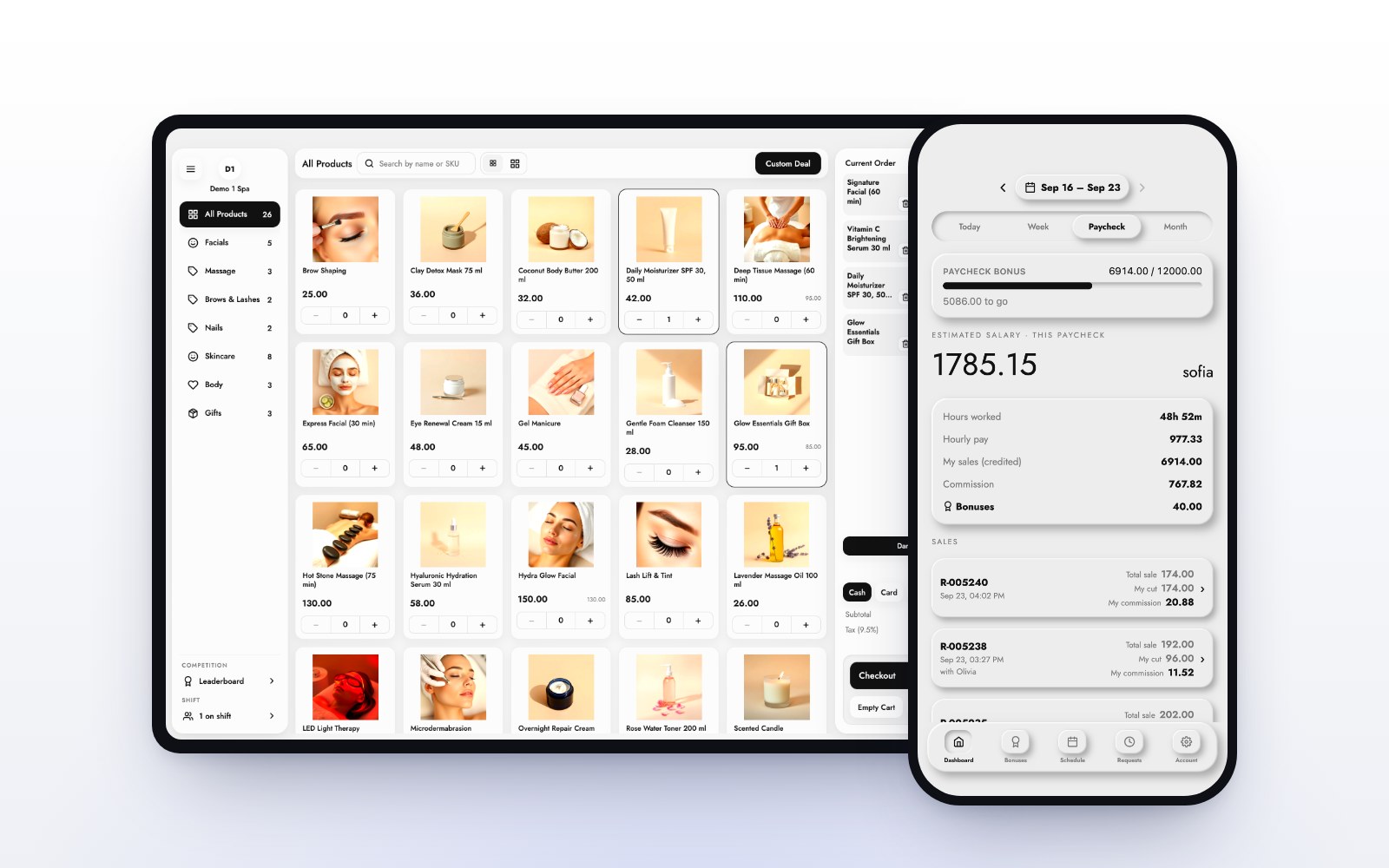
A visit is rarely one line. A facial, a serum and a tip should go on one ticket and one payment. The MazalPOS register runs on an iPad or any computer, and it is offline-first: if the Wi-Fi drops, it keeps selling and nothing spins. For the salon side in detail, read what to look for in a salon POS system.
Staff pay, schedules and commissions
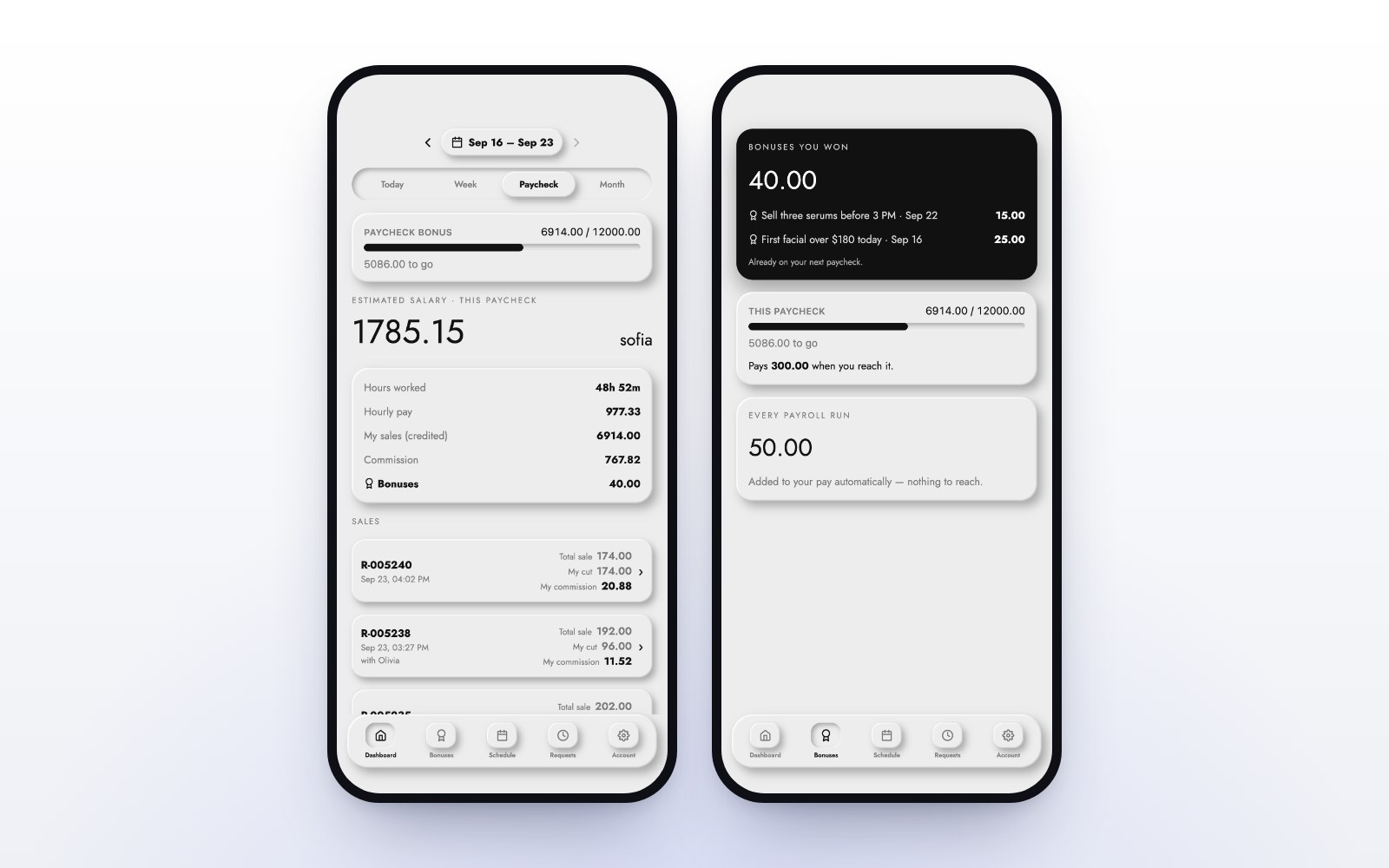
This is where spreadsheets cost the most time. Commission should be worked out on every sale, using the goals and rates you set. In MazalPOS, when an employee reaches a goal, the rate they reached applies to the whole day, and payroll adds itself up for each pay period.
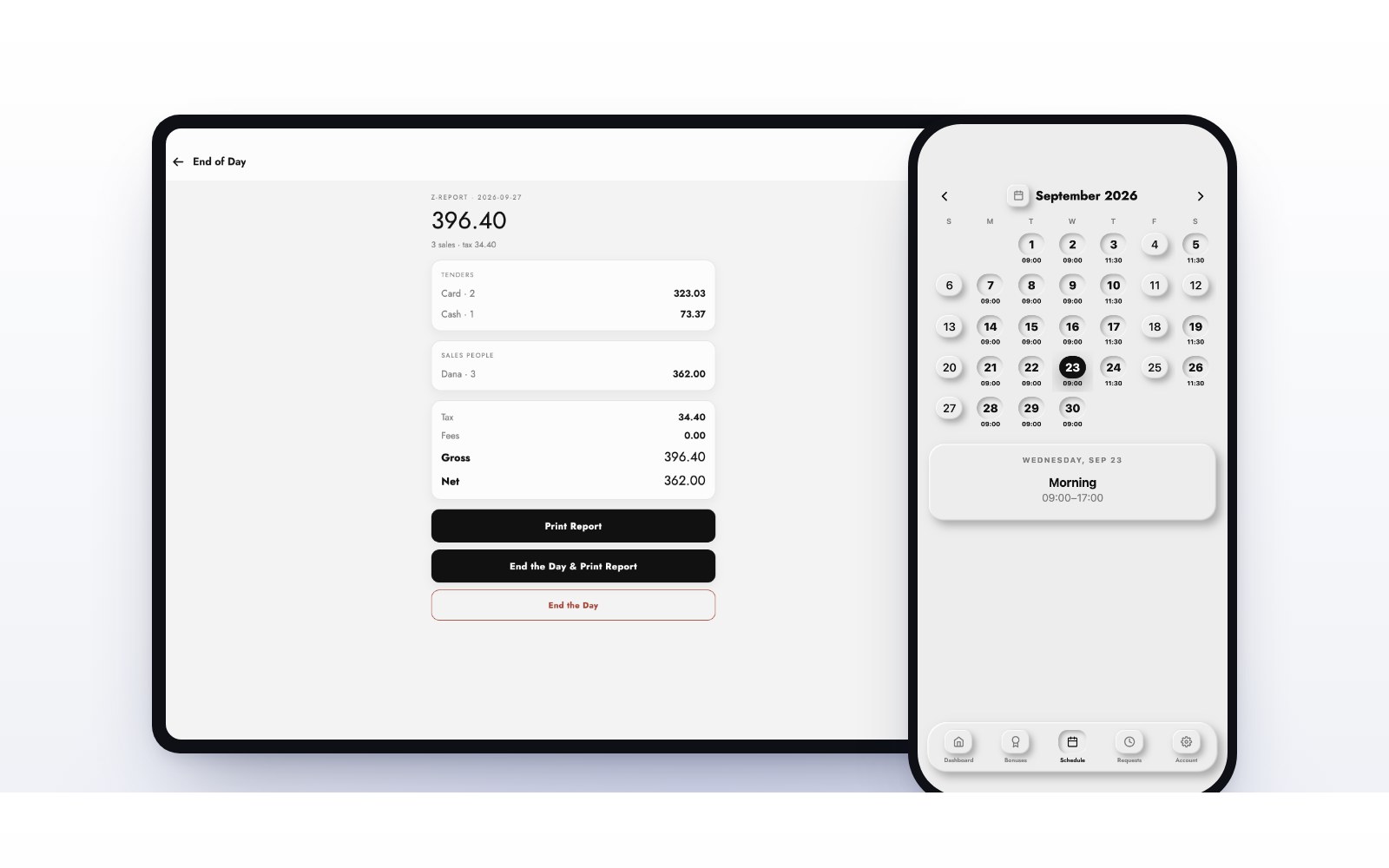
Every employee gets the MazalTeam app on their phone: their schedule, hours, sales and commission, clock in, and day-off requests you approve from your own phone. See how commissions work without spreadsheets.
One inventory for the shop and the website
Retail is often a spa’s best margin, and it is where counts drift. Your register, your online store and every location should share one stock number. MazalPOS keeps one inventory with transfers between locations and low-stock alerts, so a product sold online is off the shelf count right away.
Payments, deposits and financing
Take cards, cash and pay links at the counter. Deposits sit on the client’s balance until they are used, which protects long appointments. For bigger packages and treatments, Affirm and Purchasing Power let a client pay over time while you are paid up front. More in MazalPOS payments and customer financing at checkout.
Client profiles your team can use
Every client should have one profile with their purchase history, invoices, balance and notes, such as “fragrance-free only”. In MazalPOS that profile is one tap from the register. See customer profiles.
Reports on the owner’s phone
You should know how the day went without being in the building. MazalPOS shows live sales, payments, top products and profit and loss on your phone, for each location or all of them. See reports.
Switching and cost
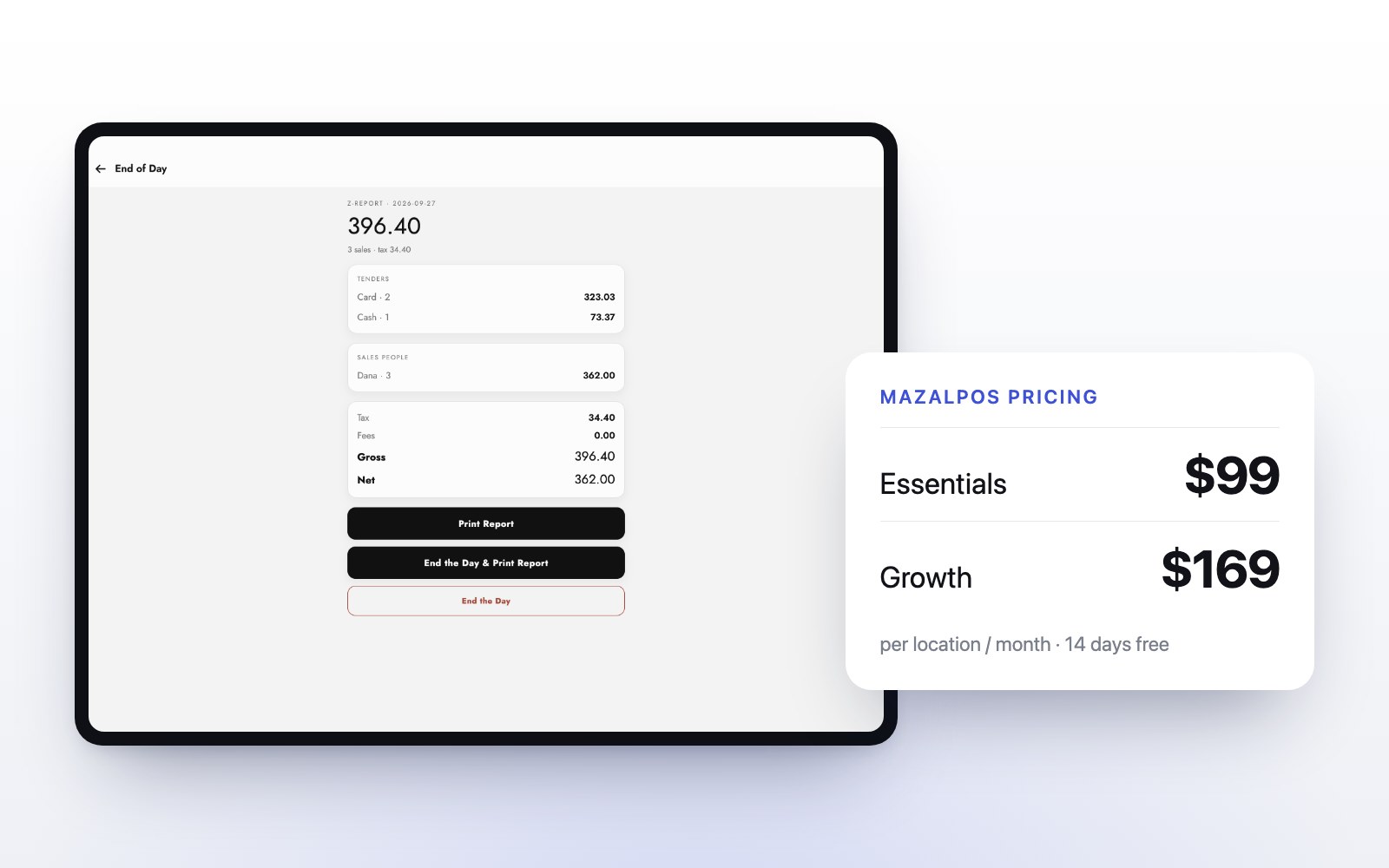
Ask what the move costs before you sign. MazalPOS moves your products, clients and history for free, and setup takes one day, or we do it for you. Plans are $99 (Essentials) or $169 (Growth) per location per month, with two months free on a yearly plan and 14 days free with no card. Read how to switch without losing data and what a POS system costs.
Salon and spa software checklist
- Services, retail and tips on one ticket.
- Offline checkout on an iPad or any computer.
- Commissions and payroll worked out for you.
- A phone app with each employee’s schedule, hours and pay.
- One inventory for the register, the website and every location.
- Deposits, pay links and customer financing.
- Client profiles with history, invoices, balances and notes.
- Live reports on your phone.
- A free move from your old system.
Built for salons and day spas, med spas and beauty retail. See pricing.
Common questions
It is one system that runs the business side of a salon or spa: the register, retail stock, staff pay and schedules, payments, client profiles and reports. MazalPOS does all of these from one login.
A POS is the register where you take payment. Salon and spa software covers the register plus everything around it: inventory, staff pay, schedules, client profiles and reports. MazalPOS includes both.
MazalPOS costs $99 (Essentials) or $169 (Growth) per location per month, with two months free on a yearly plan. Every plan has 14 days free with no card.
Yes. MazalPOS moves your products, clients and history for free, and setup takes one day.

Written by the MazalPOS team. We build and support the register, online store and staff app that stores from Las Vegas to Honolulu run on. Questions about this guide? Talk to a real person.