On this page
Key takeaways
- Treatments and skincare retail belong on one ticket and one payment.
- Deposits should sit on the client’s balance and come off at checkout.
- Financing such as Affirm makes higher-ticket treatments easier to say yes to.
- Providers should see their own sales and commission on their phone.
The business side of a med spa
A med spa sells high-ticket treatments and a shelf of skincare, often in the same visit, with deposits, packages paid over time and providers paid on commission. Med spa management software should handle that business side in one place: the register, payments, stock, staff pay, client profiles and reports. If you are comparing registers first, start with how to choose a POS system for a med spa.
Treatments and retail on one ticket
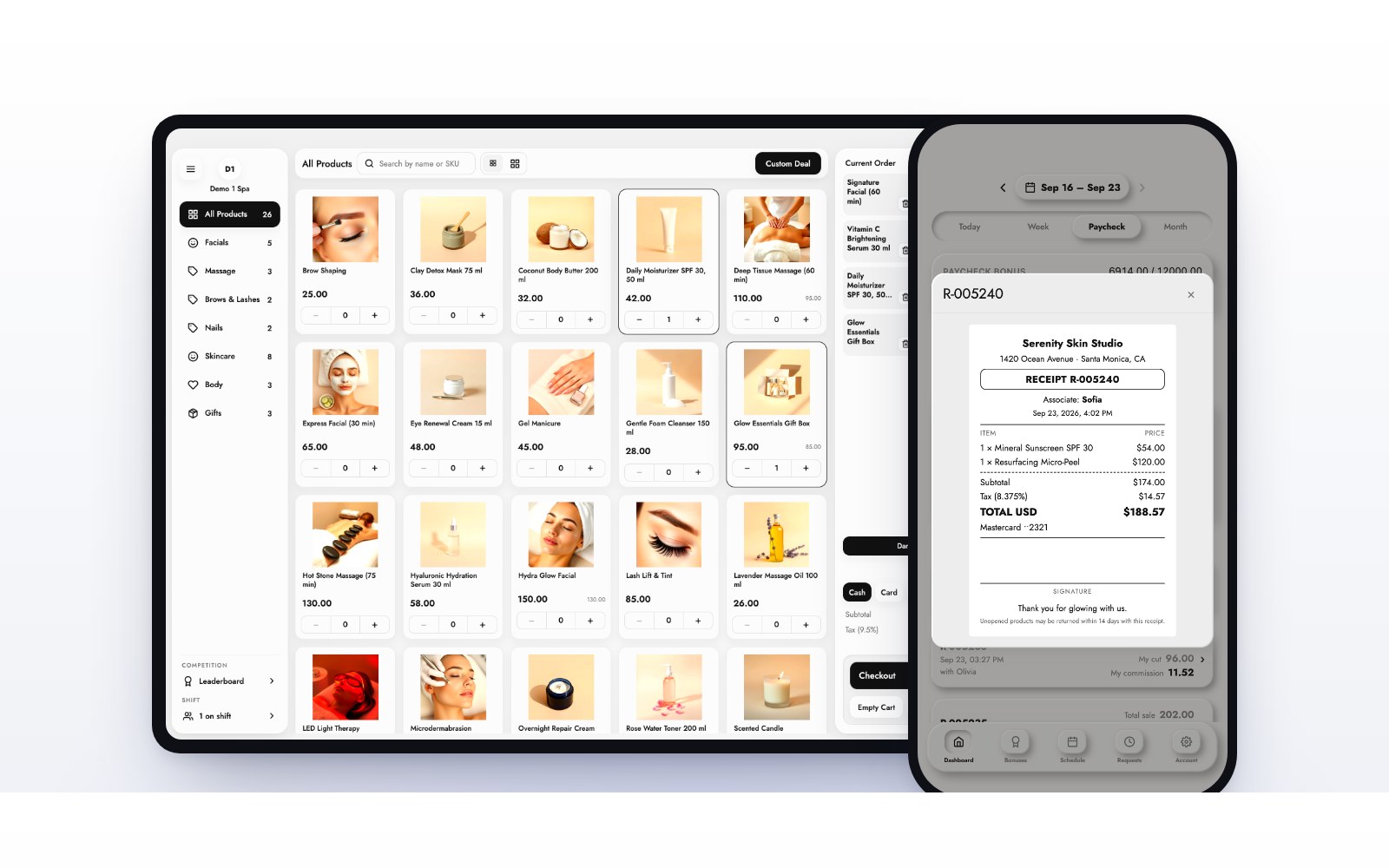
A HydraFacial, a vitamin C serum and an applied deposit should be one ticket with one total. The MazalPOS register runs on an iPad or any computer and keeps selling offline, so a dropped signal at the front desk never stops a checkout.
Deposits on the client’s balance
Deposits protect your providers’ time. In MazalPOS a deposit sits on the client’s balance until it is used and comes off at checkout, so nobody has to remember it. A pay link lets a client pay before they arrive.
Financing for higher-ticket treatments
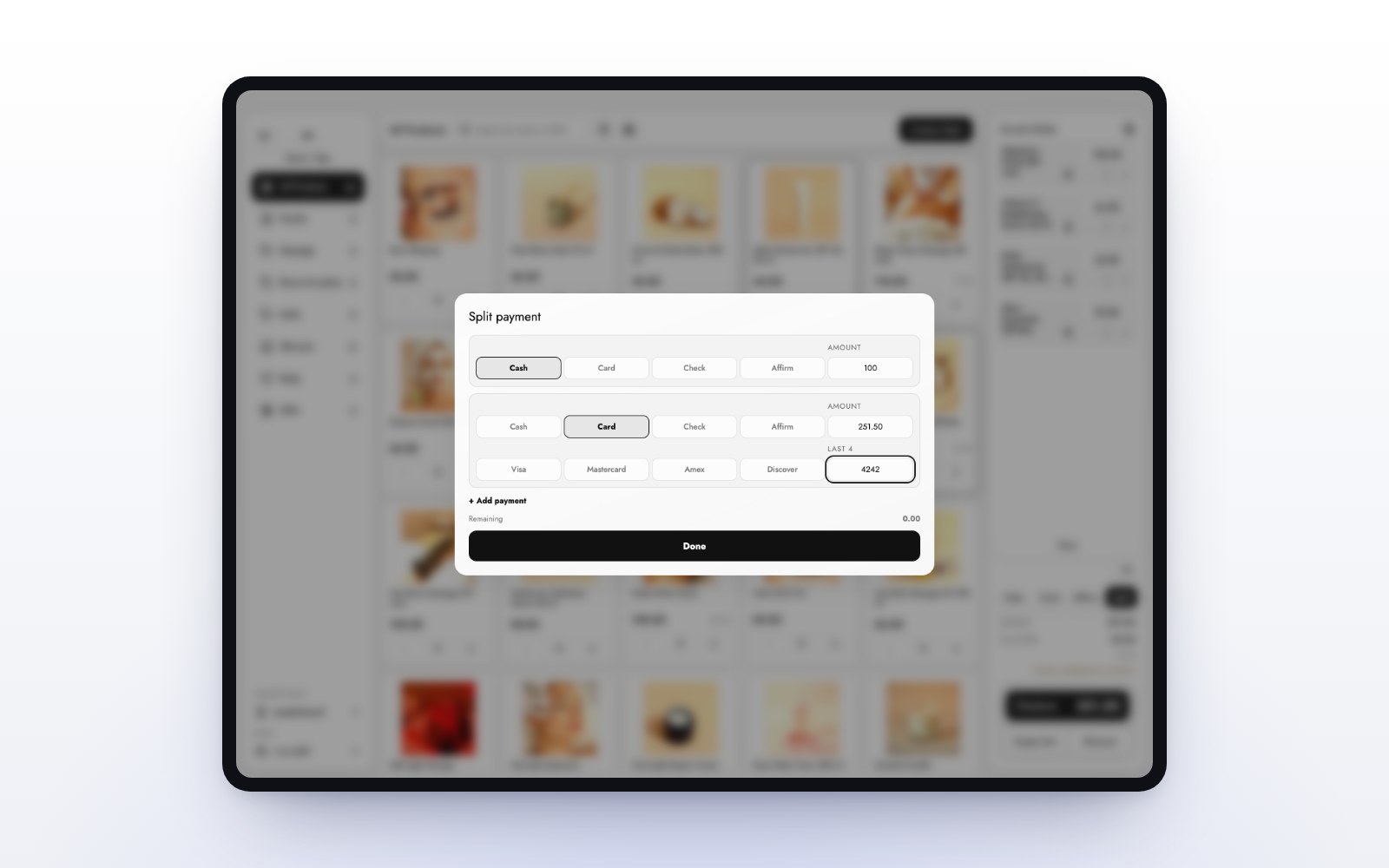
A treatment plan can run into the thousands. Affirm and Purchasing Power let a client pay over time while you are paid up front, right at the register. Read how to offer financing at checkout and see payments.
Provider commissions and payroll
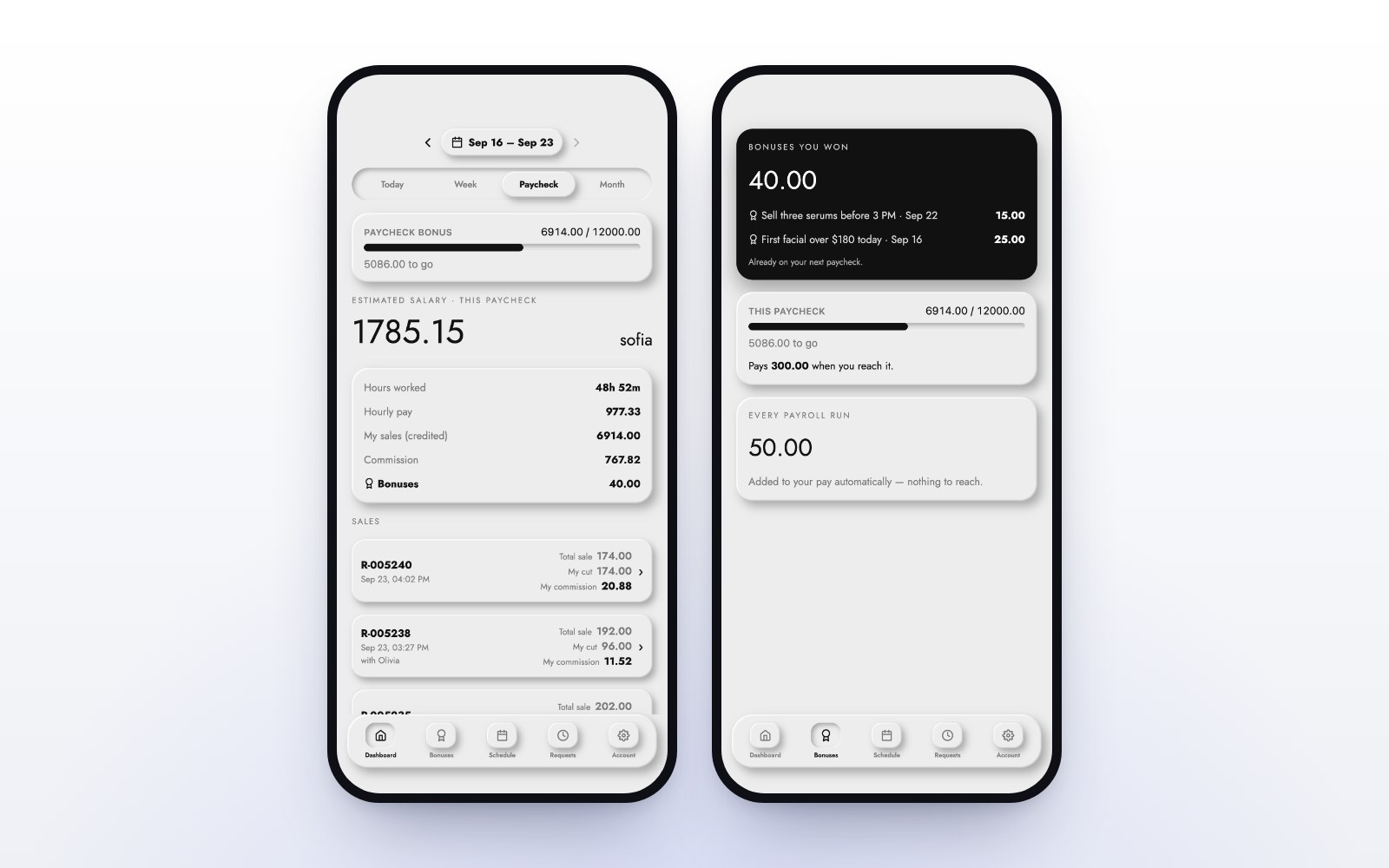
Commission is worked out on every sale, using the goals and rates you set. When a provider reaches a goal, the rate reached applies to the whole day, and payroll adds itself up for each pay period. Each provider sees their own schedule, hours, sales and commission in the MazalTeam app.
Skincare stock you can trust
Retail skincare carries a strong margin and expires if it sits. Keep one count for the shelf, your online store and every location, with transfers and low-stock alerts. See inventory.
Client profiles
Every client should have one profile with purchase history, invoices, balances and notes your whole team can see, one tap from the register. See customer profiles.
Live reports for the owner
Check sales, payments, top treatments and products, and profit and loss on your phone, for one location or all of them. See reports.
Med spa software checklist
- Treatments and retail on one ticket.
- Deposits on the client’s balance.
- Cards, cash, pay links and customer financing.
- Provider commissions and payroll worked out for you.
- A phone app for every provider.
- One inventory for the shelf, the website and every location.
- Client profiles with history, invoices, balances and notes.
- Offline checkout and a free move from your old system.
Built for med spas and skin clinics. Plans start at $99 per location per month with 14 days free. See pricing, or read what salon and spa software should do.
Common questions
It runs the business side of a med spa: the register, payments, deposits, financing, skincare stock, provider pay, client profiles and reports. MazalPOS covers all of these in one system.
Yes. A deposit sits on the client’s balance until it is used and comes off at checkout.
Yes. MazalPOS offers Affirm and Purchasing Power at checkout, so a client pays over time while you are paid up front.
MazalPOS costs $99 (Essentials) or $169 (Growth) per location per month, with two months free on a yearly plan and 14 days free with no card.

Written by the MazalPOS team. We build and support the register, online store and staff app that stores from Las Vegas to Honolulu run on. Questions about this guide? Talk to a real person.